
Cryptnox supports crypto assets through two routes: some are pre-programmed in the Cryptnox app, while others are added once through Add a Network or Add a Token. The pre-programmed group includes assets such as Bitcoin, Ethereum, XRP, Tron, USD Coin, Tether, Dai, Polygon, Arbitrum One, Avalanche, Optimism, and Chainlink. Many EVM networks and tokens use the add-once route. Solana, Cardano, Kaspa, Dogecoin, and Arweave cannot be held.
Buy it from CRYPTNOX shop directly
Accepts:

Preferred shopping solution for US:

Also available on other Amazon shops:
DE, FR, IT, BE, SE, ES, PL, NL, CA, MX, AU
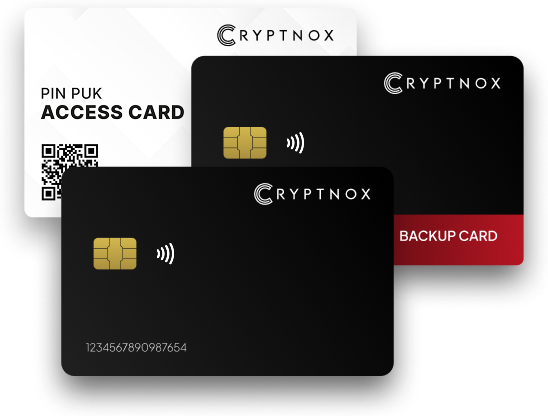
Asset support with the Cryptnox Crypto Hardware Wallet is easiest to understand by setup route. A buyer does not need a long alphabetical list first; the useful split is whether the asset is already selectable in the Cryptnox app or whether it must be added once before normal use.
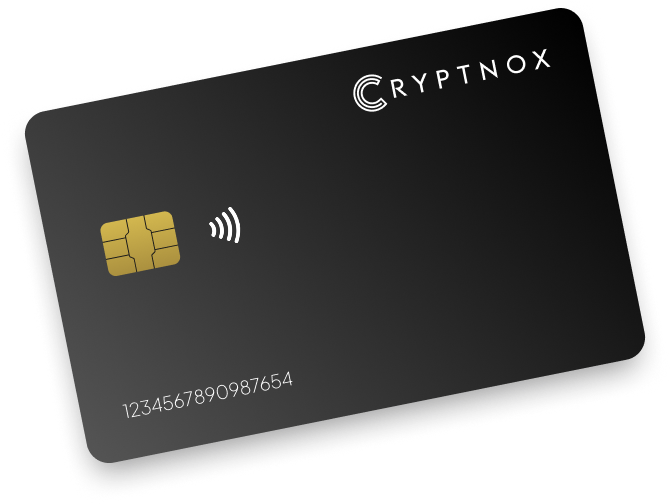
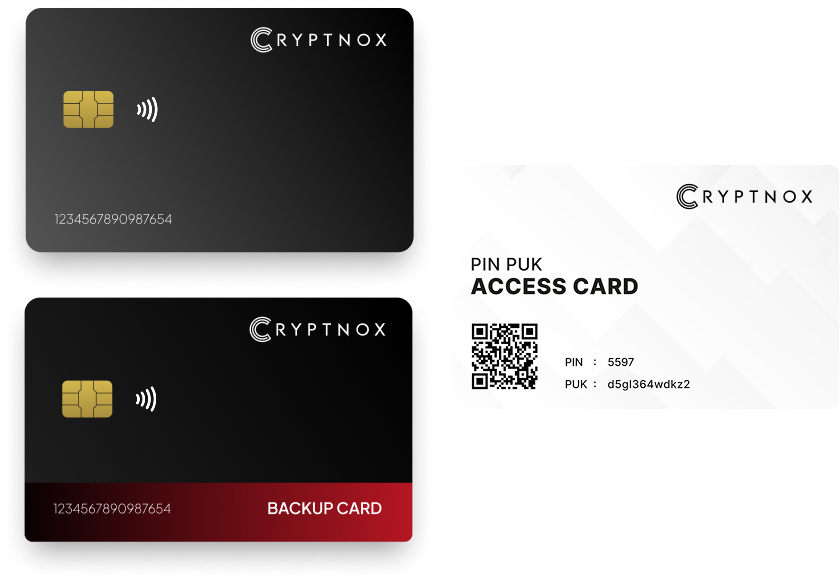
The Cryptnox Crypto Hardware Wallet – Dual-Card Set is the product for this crypto-asset collection. It is a contact and NFC smart card, so the buyer uses the card by tapping it to a phone or by inserting it into a reader. That form factor matters most when checking whether a chosen asset can be managed through the app route described for that asset.
The first group is the shortest path for buyers who want to start from an existing app option. The second group is still part of the Cryptnox asset collection, but it calls for a one-time addition before routine use. That distinction is more useful than treating every crypto asset as if the setup experience were identical.
For buyers comparing crypto custody with account sign-in hardware, the related Cryptnox security key card hub gives a separate route into sign-in card products. Stay with the crypto asset collection when the question is whether Bitcoin, XRP, an EVM network, a stablecoin, or an EVM token fits the Cryptnox wallet workflow.
The pre-programmed group is for assets and networks that are already present in the Cryptnox app. Buyers whose main holding appears in this group should start with the relevant child asset because the setup route is already defined by the app list.
For native-coin buyers, notable pre-programmed child routes include Bitcoin, Ethereum, XRP, Tron, and Binance. A buyer holding one of those assets can choose the matching child route instead of treating it as a custom token addition.
Several EVM networks and app-present network routes also sit in this group, including Polygon, Arbitrum One, Avalanche, Optimism, Fantom Opera, zkSync, Gnosis, Polygon zkEVM, Base ETH, and Renzo Restaked ETH. The common buying point is not that they are the same asset; it is that the buyer begins from a pre-programmed app option rather than from Add a Network.
Stablecoin and token buyers also have pre-programmed entries. The most direct examples are USD Coin, Tether, and Dai. The pre-programmed group also includes Chainlink, The Graph, Rocket Pool, Wrapped Ether, and related listed assets.
When an asset is pre-programmed, the buyer’s next decision is whether the Dual-Card Set’s backup and signing model suits the intended holdings. Across this pre-programmed group, private keys are generated inside the secure element and never leave it, so the app route changes how the asset is selected while the custody model remains card-based.
The add-once network route is for EVM networks that are not first-touch pre-programmed options in the app. The buyer adds the network once through Add a Network, then uses that network from the app after setup.
Examples in this group include Ronin, Cronos, Moonbeam, Moonriver, and Kava. Other listed network routes include Celo, Blast, Boba Network, Metis, Mode, Mantle, Taiko, Zora, Linea, Scroll, Fuse, Aurora, Astar, Shiden, Filecoin, Ethereum Classic, and Evmos.
This distinction helps buyers who hold assets on more than one EVM route. Ethereum may be pre-programmed, while another EVM network in the same portfolio may require Add a Network. Treat those as different setup experiences even though both are managed through the Cryptnox app after the relevant route is ready.
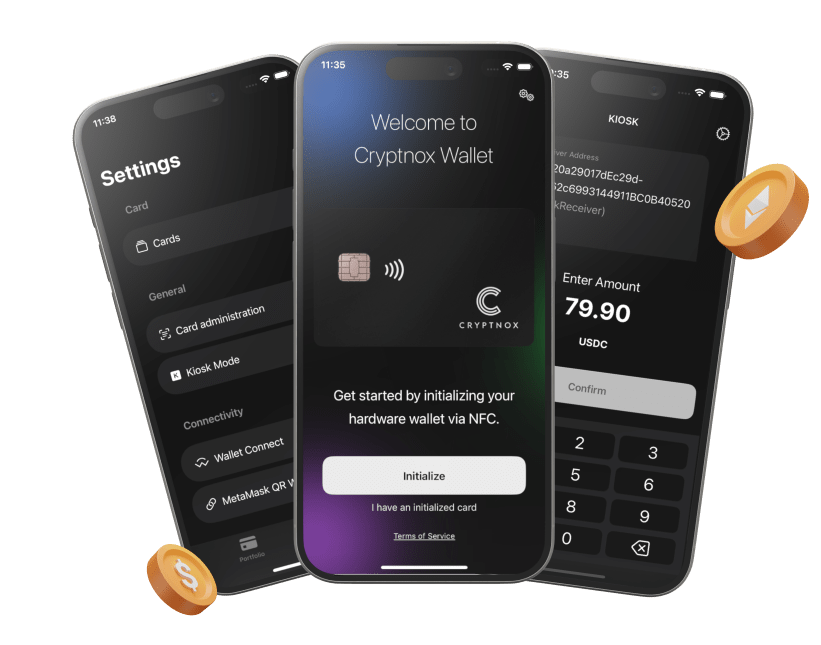
The free Cryptnox app is available on iOS and Android. In this network-addition context, the app is where the buyer performs the Add a Network step and then works with the card for that network’s wallet flow.
The Add a Token group is for token-oriented child routes. A buyer adds the token once in the Cryptnox app and then uses it after that setup step. This group is especially useful for people comparing stablecoins, governance tokens, wrapped assets, and liquid-staking or restaking tokens.
Notable token child routes include Uniswap, Aave, Wrapped Bitcoin, PayPal USD, OKB, KuCoin Token, Immutable, 1inch, Synthetix, Loopring, Sushi, Curve DAO Token, PancakeSwap, Lido DAO Token, Pendle, Wormhole, Compound, Balancer, Storj, UMA, Tellor, Ocean Protocol, and LayerZero.
The stablecoin portion of this route includes PayPal USD, Gemini Dollar, First Digital USD, Liquity USD, mStable USD, sUSD, crvUSD, Pax Dollar, TrueUSD, Decentralized USD, Ethena USDe, Alchemix USD, and other listed token pages. Stablecoin buyers should not assume every stablecoin appears as a pre-programmed app option; some are part of the Add a Token route.
The staked-ETH and restaked-ETH portion of the route includes Rocket Pool ETH, Lido Staked Ether, Wrapped stETH, Coinbase Wrapped Staked ETH, Frax Ether, Staked Frax Ether, Kelp DAO Restaked ETH, ether.fi Staked ETH, Mantle Staked Ether, Ankr Staked ETH, pufETH, Swell Ethereum, StakeWise Staked ETH, and Wrapped eETH. The setup route matters because these assets are token additions rather than the same route as holding native Ethereum.
For token buyers, the practical question is whether the exact token name appears in the asset collection and whether it belongs to the add-once group. If it does, the Add a Token route is the expected starting point.

Some assets are outside the Cryptnox wallet asset boundary because they run on their own non-EVM chains. Solana, Cardano, Kaspa, Dogecoin, and Arweave cannot be held with the Cryptnox Crypto Hardware Wallet – Dual-Card Set.
This boundary is important when comparing native assets with wrapped or tokenized names. A buyer may see a familiar asset name in one context and assume the native chain is covered. The Cryptnox asset routes described here are the pre-programmed app group and the Add a Network or Add a Token group. Native holdings on Solana, Cardano, Kaspa, Dogecoin, and Arweave are not part of those routes.
The boundary also helps buyers who hold mixed portfolios. Bitcoin, Ethereum, XRP, Tron, stablecoins, EVM networks, and EVM tokens may lead to valid Cryptnox routes, while the named non-EVM chains do not. Start from the asset’s route, not from its market recognition.
For a collection that includes Bitcoin, XRP, Tron, pre-programmed EVM routes, added EVM networks, and added tokens, the shared custody rule is that private keys are generated inside the secure element and never leave it. The asset route determines how the buyer selects or adds the asset in the app; it does not turn the phone into the place where private keys are created.
The chip platform used by the card is an EAL6+-certified chip. That statement applies to the chip, not to the finished wallet card. For buyers comparing several asset routes, the practical point is that Bitcoin, USD Coin, Ronin, Uniswap, Wrapped Bitcoin, and other supported routes all rely on the card’s secure element for the private-key boundary.
The Dual-Card Set ships uninitialised. During setup, the seed is generated inside both secure elements, which makes the second card the backup in the default setup. That backup model applies whether the buyer later chooses a pre-programmed asset such as XRP or an add-once token such as Aave.
The default setup does not ask the buyer to write down a recovery phrase. Importing a BIP39 recovery phrase is an advanced option for buyers who intentionally choose it. For a multi-asset holder, that matters because the backup method is tied to the two-card setup rather than to separate paper handling for each listed asset.
Unlock is performed through the Cryptnox app using the face or fingerprint unlock available on the phone. The card itself has no fingerprint reader or face sensor. In this asset-collection context, that means the same phone-app unlock step is used whether the buyer is working with a pre-programmed route or an add-once EVM route.
The Cryptnox app connects to Web3 through WalletConnect and works with MetaMask. That is relevant for this asset collection because many listed routes are EVM networks or EVM tokens, and the practical asset question is often whether the route is already present in the app or added once before Web3 use.
A buyer focused on Ethereum may start from the pre-programmed Ethereum route. A buyer focused on Ronin, Cronos, Moonbeam, or Mantle should expect the Add a Network route. A buyer focused on Uniswap, Aave, Wrapped Bitcoin, Pendle, or staked-ETH tokens should expect the Add a Token route when the token is listed in that group.
These examples are not a separate standard of support. They are a way to decide whether the buyer’s portfolio is mostly app-present assets, mostly one-time network additions, mostly one-time token additions, or a mix of all three.
The list below covers every asset with a page here, split by how the Cryptnox app reaches it. The distinction matters before you buy: one group needs no setup, the other needs a network or token added once.
These are present in the Cryptnox app already. Nothing to add.
These are reachable because the chain is EVM-compatible, or the asset is a token on a chain the app supports. You add the network or token once in the app, then it stays.
An asset whose home is its own non-EVM chain is out of scope, because the app has no key derivation or signing path for it. That includes Solana, Cardano, Kaspa, Dogecoin and Arweave. If one of those is what you need, a wallet built for that chain is the right tool.
Some buyers compare crypto-asset custody with sign-in security before choosing a card product. The Cryptnox security key card hub is the parent hub for account-access card content, while this crypto asset collection is for choosing whether a coin, network, stablecoin, or token fits the Cryptnox wallet route.
For account-access setup rather than crypto-asset setup, the Cryptnox card startup guide covers the security key card startup path. Keep that separate from the wallet asset routes described here: Bitcoin, XRP, pre-programmed stablecoins, added EVM networks, and added tokens are wallet-selection questions.
Service-specific account-security comparisons include the Cryptnox pages for Binance sign-in security, Fastmail sign-in security, Bank of America sign-in security, and Bitfinex sign-in security. Use those service routes when the problem is account access, and use the crypto asset routes when the problem is holding supported crypto assets with the Dual-Card Set.
When the asset route fits, the product to buy is the Cryptnox Crypto Hardware Wallet – Dual-Card Set. The cards are Swiss-engineered, and the second card serves as the backup in the default setup.
The pre-programmed group includes Bitcoin, Ethereum, XRP, Tron, Polygon, Binance, USD Coin, Tether, Dai, Chainlink, Avalanche, Arbitrum One, Optimism, Fantom Opera, zkSync, The Graph, Rocket Pool, Wrapped Ether, Gnosis, Polygon zkEVM, Base ETH, and Renzo Restaked ETH.
Add a Network is the route for listed EVM networks that are not first-touch pre-programmed options in the Cryptnox app. The buyer adds the network once, then uses it from the app. Examples include Ronin, Cronos, Moonbeam, Moonriver, Kava, Celo, Mantle, Taiko, Linea, Scroll, and other listed network routes.
Add a Token is the route for listed token-oriented assets. The buyer adds the token once in the Cryptnox app before routine use. Examples include Uniswap, Aave, Wrapped Bitcoin, PayPal USD, Curve DAO Token, Lido DAO Token, Pendle, Wormhole, and many listed staked-ETH or restaked-ETH tokens.
No. Solana, Cardano, Kaspa, Dogecoin, and Arweave are assets on their own non-EVM chains and cannot be held with the Cryptnox Crypto Hardware Wallet – Dual-Card Set. Use Cryptnox for assets in the pre-programmed app group or the listed Add a Network and Add a Token routes.
The Dual-Card Set ships uninitialised, and the seed is generated inside both secure elements during setup. The second card is the backup in the default setup. This backup model applies across the supported asset routes, whether the buyer later uses a pre-programmed asset or an add-once EVM route.
For supported assets in this collection, private keys are generated inside the secure element and never leave it. The card uses an EAL6+-certified chip, and that property belongs to the chip platform. The asset route changes how the asset is selected or added in the app, not where keys are generated.
No. Unlock uses the face or fingerprint unlock available on the phone through the Cryptnox app. The card itself has no fingerprint reader or face sensor. The same app-based unlock flow applies whether the buyer is using a pre-programmed asset or an asset added once in the app.