Hardware Wallets provide the most secure method for storing Dogecoin (DOGE), protecting your holdings from exchange hacks, phishing scams, and online threats through offline private key storage. Discover the Best Hardware Wallet for Dogecoin
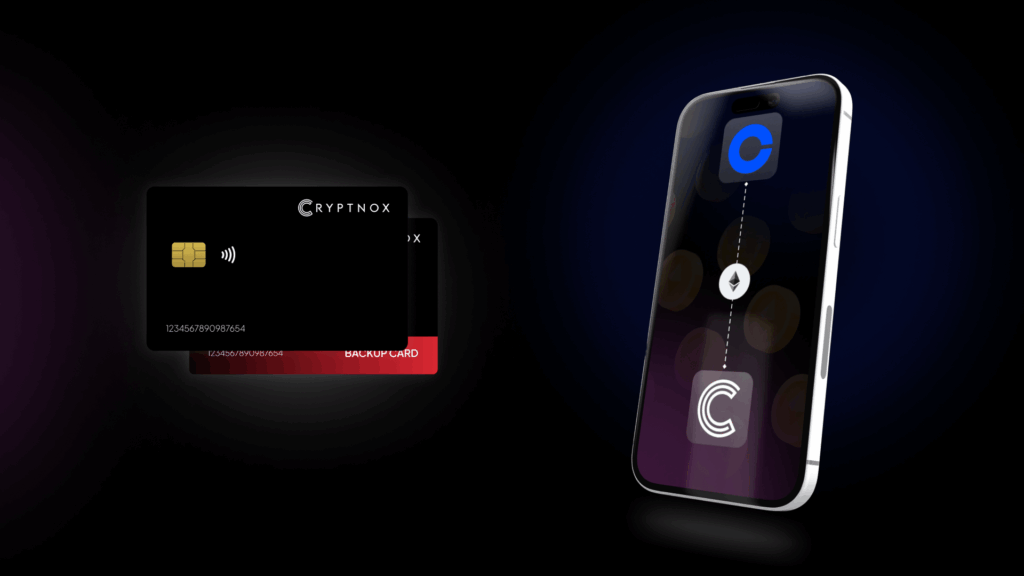
Secure your Dogecoin with the Cryptnox Hardware Wallet and experience bank-level protection in a credit card form factor – Cryptnox
What to Look For in a Dogecoin Hardware Wallet
Choosing the best hardware wallet for Dogecoin requires evaluating several key factors that directly impact security, usability, and long-term asset protection. The most important consideration is native Dogecoin support through companion apps like Ledger Live or Trezor Suite, ensuring you can manage DOGE transactions without relying on third-party integrations that may introduce security vulnerabilities.
Security Certifications and Chip Standards
Hardware Wallets should feature secure element chips with EAL5+ or EAL6+ certifications, which represent the highest industry standards for tamper-resistant cryptographic processors. These specialized chips store your private keys in isolated environments that resist physical attacks, power analysis, and sophisticated hacking techniques that could compromise lesser devices. Additional security features to prioritize include:
- PIN and PUK protection for device access control
- Biometric authentication using fingerprint sensors
- Transaction verification on physical device screens
- Secure firmware with regular updates from manufacturers
- Backup and recovery mechanisms (seed phrases, dual-card systems, Shamir backup)
The wallet’s backup system deserves special attention since losing access to both your device and backup means permanent loss of your Dogecoin. Look for solutions offering redundant backup methods like dual-card initialization or encrypted cloud backups that balance security with recovery convenience.
Compatibility and User Experience
Beyond security, your hardware wallet should integrate seamlessly with the applications you use for managing cryptocurrency portfolios. Support for multiple blockchain networks allows you to store Bitcoin, Ethereum tokens, and other assets alongside your Dogecoin without juggling multiple devices. Connectivity options like USB-C, Bluetooth, NFC, or QR code scanning affect how you interact with the wallet, with mobile app compatibility being particularly valuable for checking balances and initiating transactions on the go.
Consider the form factor and portability since some hardware wallets are credit card-sized while others resemble USB drives. The device screen size impacts how easily you can verify transaction details and wallet addresses before confirming operations.
Top 15 Best Hardware Wallets for Dogecoin (DOGE) in 2026
1. Cryptnox – Best Hardware Wallet for Dogecoin in 2026
Introducing Cryptnox, the revolutionary hardware wallet designed to keep your digital assets safe, accessible, and fully under your control. Built on advanced smartcard technology, our wallets feature a secure dual-card backup system, biometric authentication, and seamless integration with MetaMask, WalletConnect, and Web3 apps. Whether you’re storing cryptocurrencies, swapping tokens, or diving into DeFi, Cryptnox delivers bank-level security without the complexity, empowering you to manage your portfolio with peace of mind.
Product Features
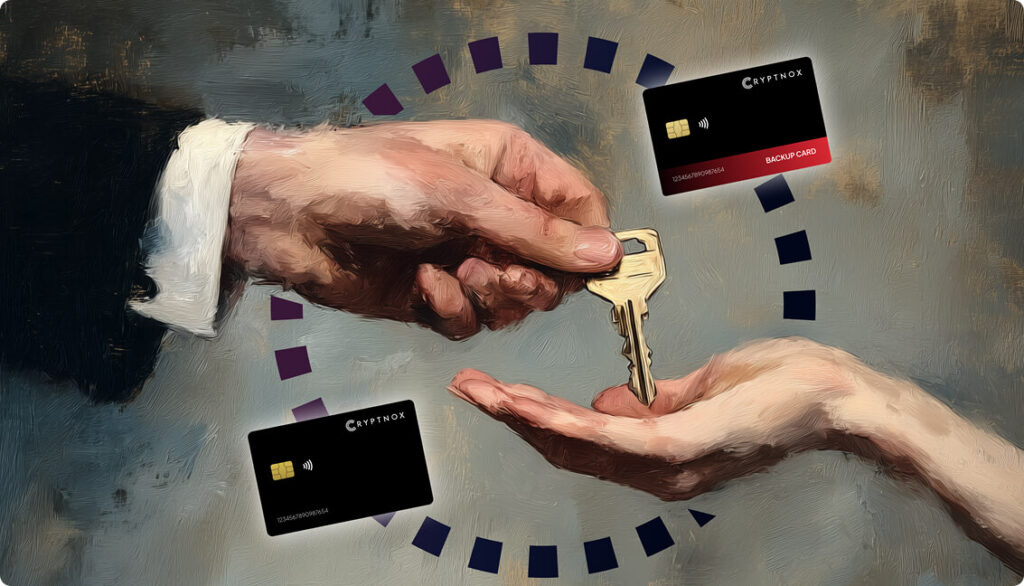
- Dual-Card Backup System: Never lose access to your keys with our innovative dual-card setup, allowing secure initialization and recovery using any pair of Cryptnox cards.
- Biometric Authentication: Add an extra layer of protection with built-in biometrics, ensuring only you can access your wallet.
- FIDO2 Functionality: Now included with every card, enabling secure logins, consent adjustments, and more across compatible platforms.
- Multi-Blockchain Support: Access a wide range of networks, including popular ones for DeFi and Web3 applications.
- PIN/PUK Security: Robust credentials to prevent unauthorized access, with reset options available without compromising your seed.
- BIP39 Compatibility: Easily import existing seeds or generate new ones for ultimate flexibility.
Product Specifications:
- Security: Firmware audited by external cybersecurity firms; no personally identifiable data stored; prevents unauthorized access.
- Integration: Works seamlessly with DeFi apps, Web3 platforms, MetaMask, and WalletConnect; supports iOS and Android apps via Apple Store and Google Play.
- Delivery: Fast shipping worldwide; available directly from Cryptnox Shop or Amazon in DE, FR, IT, BE, SE, ES, PL, NL, CA, MX, AU.
- Performance: High-security smartcard tech with quick response times and reliable connectivity.
What It’s Built For:
Cryptnox hardware wallets are your go-to solution for:
- Secure Storage: Safeguard your cryptocurrencies with hardware-level protection against hacks and theft.
- DeFi and Web3 Access: Use your card for decentralized finance, NFTs, and other blockchain applications without exposing your keys.
- Backup and Recovery: Perform dual-card setups for redundancy, or reset credentials if needed, all while maintaining control.
- Multi-Account Management: Handle multiple wallets and seeds, including BIP39 imports, for diverse crypto portfolios.
- Everyday Security: Leverage FIDO2 for secure logins, social sharing, and more in a user-friendly package
- Specialized Tasks: From token swaps to analytics tracking, Cryptnox adapts to your crypto needs.
Why Cryptnox Stands Out:
This isn’t just a wallet it’s a fortress for your digital future. With no access to your keys by Cryptnox (we never store or see them), audited firmware for top-tier reliability, and global availability, our hardware empowers beginners and experts alike. Backed by comprehensive tutorials, blogs, technical resources, and 24/7 support, Cryptnox ensures you stay ahead in the crypto world with unmatched security, simplicity, and innovation.
Cryptnox Hardware Wallets – Your Gateway to Secure, User-Friendly Crypto Management.
Ready to secure your assets? Buy a Cryptnox Hardware Wallet now and protect your crypto with ease
2. Ledger Nano X
The Ledger Nano X is a premium Bluetooth-enabled hardware wallet that supports over 5,500 cryptocurrencies including native Dogecoin storage through Ledger Live. This device stands out for its wireless connectivity that allows mobile crypto management via smartphone apps, making it convenient for users who want to check balances and sign DOGE transactions without connecting cables.
Key features:
- Form factor: USB stick with Bluetooth connectivity
- Connectivity: USB-C and Bluetooth 5.0
- Dogecoin support: Native through Ledger Live app
- Supported coins: 5,500+ cryptocurrencies
- Secure element: CC EAL5+ certified chip
- Backup method: 24-word recovery seed phrase
- Special features: Mobile app, staking, NFT display, built-in exchange
- Companion app: Ledger Live (desktop and mobile)
- Display: OLED screen for transaction verification
- Price point: $149 (premium range)
Best for: Mobile Dogecoin users who value convenience and want to manage DOGE holdings on-the-go with Bluetooth connectivity.
Pros: Trusted brand with strong security reputation, extensive coin support including DOGE, intuitive Ledger Live interface for buying and swapping, portable and lightweight design, regular firmware updates.
Cons: Premium pricing compared to entry-level options, closed-source firmware concerns for privacy advocates, smaller screen than touchscreen competitors.
3. Trezor Model T
The Trezor Model T sets the benchmark as a fully open-source hardware wallet featuring a color touchscreen interface and support for more than 1,200 cryptocurrencies including Dogecoin. As a pioneer in hardware wallet technology, Trezor’s transparent open-source approach allows independent security audits and community verification of the code protecting your assets.
Key features:
- Form factor: Compact USB device with touchscreen
- Connectivity: USB-C connection
- Dogecoin support: Native through Trezor Suite
- Supported coins: 1,200+ cryptocurrencies
- Secure element: No dedicated chip (open-source design trade-off)
- Backup method: 24-word seed phrase, Shamir backup option
- Special features: Color touchscreen, CoinJoin privacy, FIDO2 authentication, GPG encryption
- Companion app: Trezor Suite (desktop and web)
- Display: Color LCD touchscreen
- Price point: $125 (mid-range)
Best for: Open-source advocates and privacy-focused Dogecoin holders who want transparent, community-audited security.
Pros: Fully open-source firmware, advanced Shamir backup for seed distribution, touchscreen simplifies address verification, strong reputation in crypto community, CoinJoin privacy features.
Cons: Lacks dedicated secure element chip, previous security breaches reported, more expensive than basic models, smaller screen for text entry.
4. Ledger Nano S Plus
The Ledger Nano S Plus offers an affordable entry into hardware wallet security with support for thousands of coins including Dogecoin through Ledger Live integration. This USB-only wallet provides the same secure element protection as premium Ledger models but omits Bluetooth to reduce cost while maintaining excellent security standards.
Key features:
- Form factor: USB stick (no Bluetooth)
- Connectivity: USB-C only
- Dogecoin support: Native through Ledger Live
- Supported coins: 5,500+ cryptocurrencies
- Secure element: CC EAL5+ certified chip
- Backup method: 24-word recovery seed
- Special features: NFT support, staking, larger screen than Nano S
- Companion app: Ledger Live
- Display: OLED screen
- Price point: Budget-friendly ($79)
Best for: Budget-conscious beginners and long-term DOGE holders who don’t need mobile Bluetooth features.
Pros: Most affordable Ledger option, same security chip as premium models, larger screen than original Nano S, extensive coin support, Ledger Live’s user-friendly interface.
Cons: No Bluetooth connectivity, smaller screen than touchscreen wallets, closed-source firmware.
5. Trezor Safe 3
The Trezor Safe 3 represents Trezor’s latest hardware wallet iteration, featuring an upgraded EAL6+ secure element chip while maintaining open-source principles. This device supports over 1,000 cryptocurrencies including Dogecoin and offers enhanced security compared to earlier Trezor models that lacked dedicated secure elements.
Key features:
- Form factor: Compact USB device with buttons
- Connectivity: USB-C
- Dogecoin support: Native through Trezor Suite
- Supported coins: 1,000+ cryptocurrencies
- Secure element: EAL6+ certified chip
- Backup method: 24-word seed phrase with Shamir backup
- Special features: Open-source, haptic feedback, color screen
- Companion app: Trezor Suite
- Display: Color LCD screen
- Price point: Mid-range
Best for: Open-source enthusiasts who want secure element protection without compromising transparency.
Pros: Combines EAL6+ security with open-source code, robust recovery options, transparent firmware development, Shamir backup for advanced security, Trezor Suite integration.
Cons: Higher price than entry-level options, smaller screen than Model T, relatively new model with shorter track record.
6. Tangem Wallet
Tangem Wallet takes a unique card-shaped approach with NFC connectivity, requiring no batteries or cables to operate. Supporting over 7,000 assets including Dogecoin across 100+ blockchains, this wallet uses EAL6+ security in a credit card form factor that fits perfectly in your physical wallet for maximum portability.
Key features:
- Form factor: Credit card-sized NFC card (set of 2-3 cards)
- Connectivity: NFC tap-to-sign via smartphone
- Dogecoin support: Native through Tangem app
- Supported coins: 7,000+ assets
- Secure element: EAL6+ certified chip
- Backup method: Multi-card set (each card is a backup)
- Special features: No battery needed, water and dust resistant, buy/swap/stake in app
- Companion app: Tangem mobile app
- Display: No screen (relies on phone app)
- Price point: Mid-range
Best for: Travelers and minimalists who prioritize portability and want a wallet that fits in their pocket.
Pros: Extremely portable card format, no charging required, each card serves as backup, durable and resistant to elements, simple NFC tap operation.
Cons: No physical screen for address verification, closed-source firmware raises security questions for advanced users, relies entirely on mobile app.
7. SafePal S1
SafePal S1 is a budget-friendly air-gapped hardware wallet backed by Binance that supports over 10,000 cryptocurrencies including Dogecoin on 200+ blockchains. This device uses QR code scanning for completely offline transaction signing, eliminating wireless connectivity that could potentially be exploited by attackers.
Key features:
- Form factor: Small touchscreen device
- Connectivity: QR code scanning (fully air-gapped)
- Dogecoin support: Yes, via SafePal app
- Supported coins: 10,000+ cryptocurrencies
- Secure element: EAL5+ certified security
- Backup method: 24-word seed phrase
- Special features: Self-destruct mechanism, fully offline, DeFi access
- Companion app: SafePal mobile app
- Display: Color touchscreen
- Price point: Budget-friendly ($50-60)
Best for: Budget-conscious users who want air-gapped security for their DOGE holdings without premium pricing.
Pros: Most affordable air-gapped wallet, self-destruct protection against tampering, broad coin compatibility, compact and travel-friendly, Binance backing.
Cons: QR code workflow slower than USB/Bluetooth, less modern interface than premium competitors, smaller screen, firmware updates less frequent.
8. Cypherock X1
The Cypherock X1 introduces innovative seedless security using Shamir’s Secret Sharing to distribute your private keys across multiple NFC cards, eliminating the single point of failure inherent in traditional seed phrases. Supporting 9,000+ assets including Dogecoin, this wallet splits your keys so no single card or the device alone can access your funds.
Key features:
- Form factor: USB device plus 4 NFC cards
- Connectivity: USB-C and NFC card tapping
- Dogecoin support: Yes, across multiple chains
- Supported coins: 9,000+ assets
- Secure element: EAL6+ security
- Backup method: Shamir’s Secret Sharing (no seed phrase)
- Special features: Open-source, distributed key storage, no single seed
- Companion app: Cypherock mobile app
- Display: OLED screen
- Price point: Premium
Best for: Advanced users seeking cutting-edge security without traditional seed phrase vulnerabilities.
Pros: Revolutionary seedless architecture, distributed key security, open-source transparency, EAL6+ protection, ideal for those who worry about seed phrase theft.
Cons: Higher learning curve, premium pricing, more complex setup than standard wallets, requires managing multiple cards.
9. Keystone 3 Pro
The Keystone 3 Pro is a fully air-gapped touchscreen wallet featuring three independent security chips and support for 5,000+ coins including Dogecoin on 100+ chains. This device signs transactions exclusively via QR code scanning, maintaining complete isolation from internet-connected devices that could compromise your keys.
Key features:
- Form factor: Large touchscreen device
- Connectivity: QR code signing only (air-gapped)
- Dogecoin support: Yes, multi-chain
- Supported coins: 5,000+ cryptocurrencies
- Secure element: Three security chips
- Backup method: Seed phrase with metal backup option
- Special features: Open-source, extended warranty, multi-account management
- Companion app: Works with multiple wallet apps via QR
- Display: Large color touchscreen (4 inches)
- Price point: Premium ($180+)
Best for: Security-focused DOGE holders who want multiple chip protection and DeFi access with air-gapped isolation.
Pros: Triple security chip architecture, large touchscreen for easy verification, fully open-source, extended warranty coverage, rich DeFi functionality.
Cons: Bulkier than compact wallets, premium pricing, QR code workflow requires practice, overkill for simple storage needs.
10. Ledger Stax
Ledger Stax represents the premium tier of Ledger’s hardware wallet lineup, designed by iPod creator Tony Fadell with a curved E Ink display and wireless charging. Supporting thousands of assets including Dogecoin, this wallet prioritizes user experience with its large touch-sensitive screen and modern design that displays NFT artwork.
Key features:
- Form factor: Slim touchscreen with curved E Ink display
- Connectivity: USB-C, Bluetooth, wireless charging
- Dogecoin support: Native via Ledger Live
- Supported coins: 5,500+ cryptocurrencies
- Secure element: CC EAL5+ chip
- Backup method: 24-word recovery seed
- Special features: E Ink display, wireless charging, NFT artwork display, magnetically stackable
- Companion app: Ledger Live
- Display: Curved E Ink touchscreen
- Price point: Premium ($279)
Best for: Premium users who want the most advanced Ledger experience for managing DOGE and NFTs.
Pros: Beautiful industrial design, large touchscreen simplifies navigation, wireless charging convenience, Bluetooth connectivity, always-on NFT display.
Cons: Highest price point among mainstream wallets, closed-source firmware, luxury features unnecessary for basic storage.
11. Trezor Model One
The Trezor Model One is the original hardware wallet that pioneered the industry, offering a basic yet secure solution for storing 1,600+ cryptocurrencies including Dogecoin. This entry-level device uses physical buttons for transaction confirmation and provides open-source security at an accessible price point.
Key features:
- Form factor: Small USB device with buttons
- Connectivity: Micro-USB connection
- Dogecoin support: Native through Trezor Suite
- Supported coins: 1,600+ cryptocurrencies
- Secure element: No dedicated chip (open-source design)
- Backup method: 24-word seed phrase
- Special features: Open-source pioneer, simple button interface
- Companion app: Trezor Suite
- Display: Small monochrome OLED
- Price point: Budget-friendly ($69)
Best for: Entry-level users and crypto beginners who want trusted open-source security without touchscreen features.
Pros: Most affordable Trezor option, fully open-source, proven track record since 2014, Trezor Suite integration for buying and exchanging, simple interface.
Cons: Very small screen makes address verification difficult, no secure element chip, outdated Micro-USB connection, basic feature set.
12. KeepKey
KeepKey is a hardware wallet integrated with ShapeShift exchange for seamless crypto swaps, supporting 40+ assets including Dogecoin. This device features a large screen and offline signing with physical buttons, combined with PIN protection and customizable transaction fee settings for controlling DOGE transfer costs.
Key features:
- Form factor: Large USB device with big screen
- Connectivity: USB connection
- Dogecoin support: Yes, via ShapeShift integration
- Supported coins: 40+ cryptocurrencies
- Secure element: Secure chip
- Backup method: 12-word recovery seed
- Special features: ShapeShift integration, large display, customizable transaction speeds
- Companion app: ShapeShift platform
- Display: Large OLED screen (3.12 inches)
- Price point: Budget-friendly
Best for: ShapeShift users who want a simple wallet for swapping and storing DOGE with a large verification screen.
Pros: Largest screen among hardware wallets for easy address verification, integrated ShapeShift exchange, simple setup, affordable pricing, PIN protection.
Cons: Very limited coin support (only 40+), less frequent firmware updates, bulky compared to modern designs, tied to ShapeShift ecosystem.
13. Ellipal Titan
The Ellipal Titan is a fully air-gapped touchscreen wallet supporting 10,000+ cryptocurrencies including Dogecoin on 80+ networks. This device uses QR code connectivity exclusively, with EAL5+ security and the Ellipal app for trading, staking, and cold storage management without any wireless or wired connections.
Key features:
- Form factor: Large touchscreen device with camera
- Connectivity: QR codes only (fully air-gapped)
- Dogecoin support: Yes, on multiple networks
- Supported coins: 10,000+ cryptocurrencies
- Secure element: EAL5+ security
- Backup method: Mnemonic seed phrase
- Special features: Completely air-gapped, self-destruct mechanism, anti-tamper coating
- Companion app: Ellipal mobile app
- Display: Large color touchscreen
- Price point: Mid-range ($139)
Best for: Security-focused users who want complete physical isolation for large DOGE holdings.
Pros: Fully air-gapped eliminates wireless attack vectors, large touchscreen interface, extensive coin support, anti-tamper features, app integration for trading.
Cons: Not fully open-source, QR code workflow slower for frequent transactions, bulkier than pocket-sized wallets, no Bluetooth convenience.
14. OneKey Pro
OneKey Pro is an open-source hardware wallet featuring Bluetooth, USB-C, and NFC connectivity with support for 30,000+ tokens including Dogecoin on 100+ blockchains. This premium device includes four EAL6+ secure chips and fingerprint verification for enhanced security across diverse multi-chain portfolios.
Key features:
- Form factor: Touchscreen device with multiple connectivity options
- Connectivity: Bluetooth, USB-C, NFC
- Dogecoin support: Yes, multi-chain support
- Supported coins: 30,000+ tokens
- Secure element: Four EAL6+ chips
- Backup method: Encrypted passphrase
- Special features: Fingerprint sensor, open-source, wireless charging, air-gapped mode
- Companion app: OneKey mobile and desktop app
- Display: Color touchscreen
- Price point: Premium
Best for: Advanced multi-chain users seeking maximum security for diverse crypto portfolios including DOGE.
Pros: Open-source transparency, four security chips for redundancy, extensive connectivity options, fingerprint authentication, massive coin support.
Cons: Bulkier design than compact wallets, premium pricing, feature complexity may overwhelm beginners, relatively newer brand.
15. SecuX V20
The SecuX V20 is a touchscreen hardware wallet with Bluetooth connectivity supporting thousands of coins including Dogecoin. This device features EAL5+ security, a dynamic keypad for PIN entry that prevents keylogger attacks, and cross-platform app support for buying, selling, and managing NFTs alongside your DOGE.
Key features:
- Form factor: Touchscreen wallet with large display
- Connectivity: Bluetooth and USB-C
- Dogecoin support: Yes, native support
- Supported coins: Thousands of cryptocurrencies
- Secure element: EAL5+ certified chip
- Backup method: 24-word recovery seed
- Special features: Dynamic keypad, Bluetooth, touchscreen, cross-platform app
- Companion app: SecuX mobile and desktop app
- Display: 2.8-inch color touchscreen
- Price point: Mid-range
Best for: Mobile users who want touchscreen convenience with Bluetooth DOGE management.
Pros: Dynamic keypad prevents keylogging, Bluetooth mobile connectivity, large touchscreen display, built-in exchange features, NFT support.
Cons: Less established brand than Ledger/Trezor, fewer independent security audits, mid-tier pricing without premium features.
How to Choose the Right Hardware Wallet for Dogecoin
Selecting the optimal hardware wallet for your Dogecoin holdings depends on balancing security requirements, budget constraints, and usage patterns. Start by assessing the size of your DOGE holdings since larger amounts justify premium wallets with advanced security features like multiple secure chips or Shamir backup, while smaller holdings may not require such extensive protection.
Your technical comfort level matters significantly when choosing between open-source wallets that appeal to privacy advocates and closed-source options that prioritize user-friendly interfaces. Consider whether you need mobile Bluetooth connectivity for frequent transactions or if a USB-only wallet suffices for long-term cold storage. The Cryptnox Hardware Wallet offers an ideal balance with its credit card portability and biometric authentication that appeals to both technical and mainstream users.
Portfolio Diversity Considerations
If you hold multiple cryptocurrencies beyond Dogecoin, prioritize wallets supporting thousands of assets across various blockchain networks rather than devices limited to specific ecosystems. Multi-chain compatibility ensures you can consolidate all holdings in one secure device instead of managing multiple wallets. Check whether the companion app allows manual addition of blockchain networks, giving you flexibility as new cryptocurrencies emerge that you might want to store.
Evaluate the transaction signing workflow since air-gapped QR code wallets provide maximum security but require more steps compared to Bluetooth-enabled devices. For daily DOGE transactions, connectivity convenience matters more than for buy-and-hold strategies where you access the wallet infrequently. Budget allocation should reflect your risk tolerance, with premium wallets offering redundant security layers that justify higher costs for substantial holdings.
Setting Up Your Hardware Wallet for DOGE Storage
Hardware Wallet setup typically follows a straightforward process that takes just a few minutes, though specific steps vary by manufacturer. After unboxing your device, connect it to your computer or smartphone using the provided cable, NFC tap, or Bluetooth pairing depending on the wallet type. Most wallets will prompt you to install companion software like Ledger Live, Trezor Suite, or manufacturer-specific apps that facilitate blockchain interaction. support.ledger
The initialization process generates your private keys either through the wallet’s internal random number generator for dual-card setups or by having you create a PIN code and recovery seed phrase. Never use a hardware wallet that comes with a pre-generated seed phrase since this indicates potential tampering or scam attempts. Write down your 12 or 24-word recovery phrase on the provided recovery sheet and store it securely offline in a fireproof location separate from the device itself.
Adding Dogecoin Support
Once your hardware wallet is initialized, install the Dogecoin app through the companion software if required by your device. For wallets like Cryptnox with multi-chain support, you may need to manually add Dogecoin network details if not pre-configured in the mobile app. Generate your first Dogecoin receiving address by selecting DOGE in the wallet interface and clicking “Receive” to display your public address and corresponding QR code. support.ledger
Verify this address appears on your hardware wallet’s physical screen before sharing it or receiving funds, protecting against malware that might substitute attacker addresses on your computer display. Test your setup by transferring a small amount of DOGE first (5-10 coins) to confirm everything works correctly before transferring larger holdings. Update firmware to the latest version for security patches and new features, following manufacturer instructions carefully to avoid bricking the device.
Hardware Wallet Security Best Practices for DOGE Holders
Protecting your Dogecoin requires more than just purchasing a hardware wallet since human error and poor security practices can still result in loss. Always verify receiving addresses on your hardware wallet’s physical screen before sending DOGE, as malware on compromised computers can display fake addresses that steal your funds. Never enter your recovery seed phrase into any website, app, or software that claims to “validate” or “synchronize” your wallet since legitimate hardware wallet manufacturers never ask for this information. store.dcentwallet
Store your backup recovery phrase in multiple physical locations using fireproof and waterproof storage solutions, avoiding digital photos or cloud storage that create online exposure points. Consider using metal backup plates that withstand fire and flood better than paper for long-term DOGE holdings. Keep your PIN and PUK codes separate from your hardware wallet cards or device, storing them securely where you can retrieve them for device pairing or reset operations.
Transaction Verification Protocols
Before confirming any Dogecoin transaction, carefully verify the recipient address matches your intended destination character-by-character on your hardware wallet screen. Clipboard malware can change copied addresses, so always double-check rather than blindly trusting what appears on your computer or phone. Start with small test transactions when sending to new addresses, especially for large amounts, since blockchain transactions are irreversible once confirmed.
Enable all available security features including biometric authentication, transaction limits, and passphrase protection if supported by your wallet. Update firmware only from official manufacturer websites or verified app stores, never through email links or third-party sources that could deliver malicious code. Be skeptical of phishing attempts and crypto drainers targeting Dogecoin holders, particularly messages claiming urgent security updates or wallet verification requirements that create time pressure to act without thinking.
FAQ
Can I store Dogecoin on a hardware wallet?
Yes, most modern hardware wallets support Dogecoin storage through native integration with companion apps like Ledger Live and Trezor Suite. Hardware wallets keep your DOGE private keys offline in secure element chips, protecting against online hacking attempts that target exchange-based storage. You simply add DOGE support through the wallet’s app, generate a receiving address, and transfer your coins from exchanges or software wallets to the hardware device for cold storage security.
What is the best hardware wallet for Dogecoin?
The best hardware wallet for Dogecoin depends on your priorities, but devices like Ledger Nano X and Trezor Model T are widely trusted for their native DOGE support and proven security track records. For users prioritizing portability and advanced features, the Cryptnox hardware wallet offers smart card technology with biometric authentication and multi-chain support in a credit card form factor. Air-gapped options like SafePal S1 provide maximum security at budget-friendly prices, while Tangem Wallet excels for travelers needing minimal pocket space.
How do I transfer Dogecoin to a hardware wallet?
Transferring Dogecoin to your hardware wallet involves generating a receiving address in the companion app, copying that address, and initiating a withdrawal from your current DOGE storage location. Always verify the receiving address on your hardware wallet’s physical screen before sending, and consider testing with a small amount first. After sending, the transaction typically confirms within minutes depending on Dogecoin network congestion, and your DOGE balance will appear in the hardware wallet app once blockchain confirmations complete.
Is it safe to store DOGE on a hardware wallet long-term?
Hardware Wallets represent the safest method for long-term Dogecoin storage since private keys never touch internet-connected devices vulnerable to hacking. Secure element chips with EAL5+ or EAL6+ certifications resist physical tampering and sophisticated attacks that could compromise software wallets. As long as you securely store your recovery phrase and keep firmware updated, hardware wallets can safely hold DOGE for years without risk from exchange failures, account freezes, or remote theft that plague custodial storage solutions.
Secure your Dogecoin with the Cryptnox hardware wallet and experience bank-level protection in a credit card form factor – Cryptnox