Storing Tether securely across Ethereum, Tron, Binance Smart Chain, and Polygon requires hardware wallets designed for multi-chain support. The best USDT hardware wallets combine EAL6+ certified chips with seamless Web3 integration for DeFi access. Discover the Best Hardware Wallet for Tether
Secure your Tether holdings with the Cryptnox hardware wallet today – Cryptonox
What is Tether (USDT) and Why Secure Storage Matters
Tether (USDT) is a stablecoin pegged to the US dollar, designed to maintain a 1:1 value ratio for consistent pricing. With a market cap exceeding $185 billion as of January 2026, USDT ranks as the third-largest cryptocurrency and dominates the stablecoin market. Traders and investors rely on Tether as a stable medium of exchange, especially during volatile market conditions, and use it extensively for DeFi applications, lending platforms, and cross-exchange transfers.
Why Self-Custody Matters for USDT Holders
Keeping large amounts of USDT on centralized exchanges exposes your holdings to significant risks. Exchange hacks accounted for 67% of disclosed crypto losses in recent years, while DeFi exploits and phishing attacks made up the remaining third. Hardware wallets provide cold storage security by keeping your private keys completely offline, making remote hacking extremely difficult compared to hot wallets or exchange custody.
Regulatory considerations also make self-custody important for stablecoin holders. When you control your private keys through a hardware wallet, you maintain access to your USDT regardless of exchange restrictions, account freezes, or regulatory changes. This becomes particularly valuable for users who hold substantial Tether balances for trading, savings, or business operations.
Understanding Tether on Different Blockchains
Tether exists on multiple blockchain networks, each offering different advantages for transaction speed, fees, and compatibility. The most common USDT versions include ERC-20 on Ethereum, TRC-20 on Tron, and BEP-20 on Binance Smart Chain, but the stablecoin also operates on Polygon, Arbitrum, Solana, Avalanche, and several other chains.
Key USDT Network Differences
ERC-20 (Ethereum) provides the widest adoption across DeFi platforms and exchanges, giving users access to the largest ecosystem of decentralized applications. However, Ethereum gas fees can range from a few dollars to over $50 during network congestion, making small transfers expensive. ERC-20 USDT remains the preferred choice for DeFi users and those interacting with Ethereum-based protocols.
TRC-20 (Tron) offers remarkably low transaction fees, typically under $1 per transfer, and processes up to 2,000 transactions per second. This makes Tron ideal for frequent transfers, merchant payments, and users who need to move USDT regularly without high costs. Many exchanges support TRC-20 deposits and withdrawals due to its efficiency, and you can manage it with hardware wallets that support Tron.
BEP-20 (Binance Smart Chain) balances speed and cost, with transaction fees generally between $0.10 and $1. BSC provides good compatibility with DeFi platforms while maintaining faster confirmation times than Ethereum. Users who trade on Binance or interact with BSC-based applications often prefer this network for USDT transactions.
Other networks like Polygon, Arbitrum, and Solana offer additional options for specific use cases. Polygon provides low-cost alternatives to the Ethereum mainnet, Arbitrum offers Layer 2 scaling benefits, and Solana delivers high-speed transactions with minimal fees. Avalanche support adds another dimension for users seeking alternative networks. Choosing the right network depends on your transaction frequency, fee sensitivity, and which platforms you use.
What to Look for in a Tether Hardware Wallet
Selecting a hardware wallet for cryptocurrency storage requires evaluating several critical features that directly impact security and usability. Multi-chain support stands as the most important consideration since you’ll want flexibility to hold USDT on multiple networks without needing separate devices.
Essential Security Features
Secure element chips certified to EAL5+ or EAL6+ standards provide the foundation for hardware wallet security. These specialized chips store your private keys in tamper-resistant hardware, making physical extraction extremely difficult even if someone gains possession of your device. The highest security wallets use chips that meet banking industry standards for cryptographic operations.
Private key isolation ensures your keys never leave the secure environment of the hardware wallet. When you sign a USDT transaction, the wallet processes it internally and only transmits the signed transaction to your computer or phone. This cold storage approach prevents malware, keyloggers, and remote attacks from accessing your credentials.
Backup and recovery mechanisms protect against device loss or failure. Look for wallets that offer dual-card backup systems, multi-card redundancy, or robust seed phrase management with Shamir Backup options. The recovery method should be straightforward yet secure enough to prevent unauthorized access, and backing up your hardware wallet should be a priority from day one.
Practical Usability Requirements
Mobile app integration matters significantly for USDT management since you’ll likely need to check balances and make transfers on the go. Wallets with intuitive mobile apps that support WalletConnect integration and MetaMask connectivity give you access to DeFi platforms, lending protocols, and decentralized exchanges where USDT sees heavy usage.
Web3 compatibility expands your options for using Tether in decentralized applications. Hardware wallets that seamlessly connect to DeFi platforms let you earn yields on USDT, provide liquidity, participate in lending markets, and interact with smart contracts while maintaining the security of cold storage. Transaction verification on-device ensures you can review recipient addresses and amounts before approving transfers.
Network flexibility allows you to switch between different USDT versions based on your needs. The best hardware wallets support adding custom networks and tokens, so you’re not limited to pre-configured options if you need to use USDT on newer or less common blockchains.
Top 15 Best Hardware Wallets for Tether (USDT) in 2026
1. Cryptnox – Best Hardware Wallet for Tether in 2026
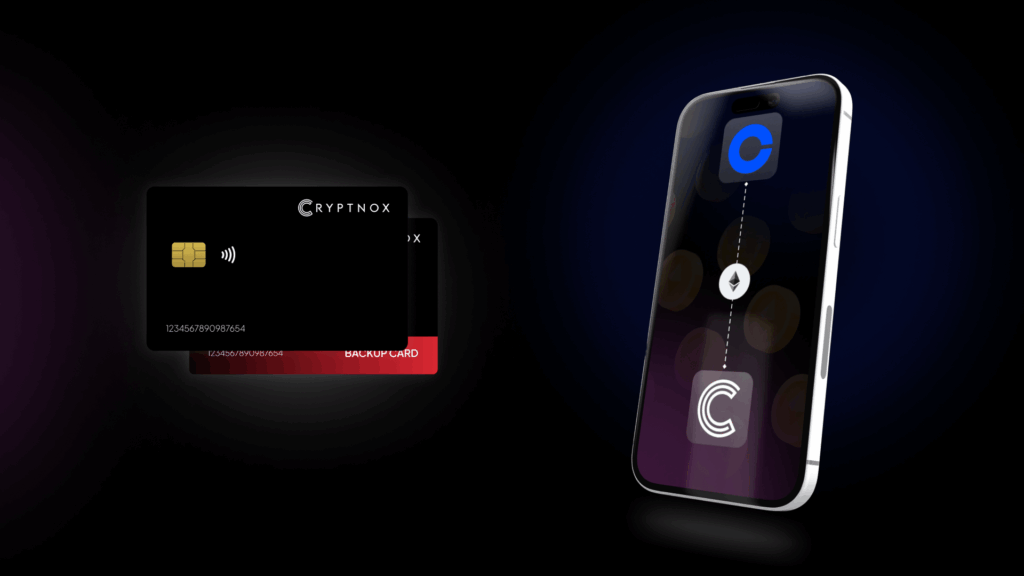
Introducing Cryptnox, the revolutionary hardware wallet designed to keep your digital assets safe, accessible, and fully under your control. Built on advanced smartcard technology, our wallets feature a secure dual-card backup system, biometric authentication, and seamless integration with MetaMask, WalletConnect, and Web3 apps. Whether you’re storing cryptocurrencies, swapping tokens, or diving into DeFi, Cryptnox delivers bank-level security without the complexity, empowering you to manage your portfolio with peace of mind.
Product Features
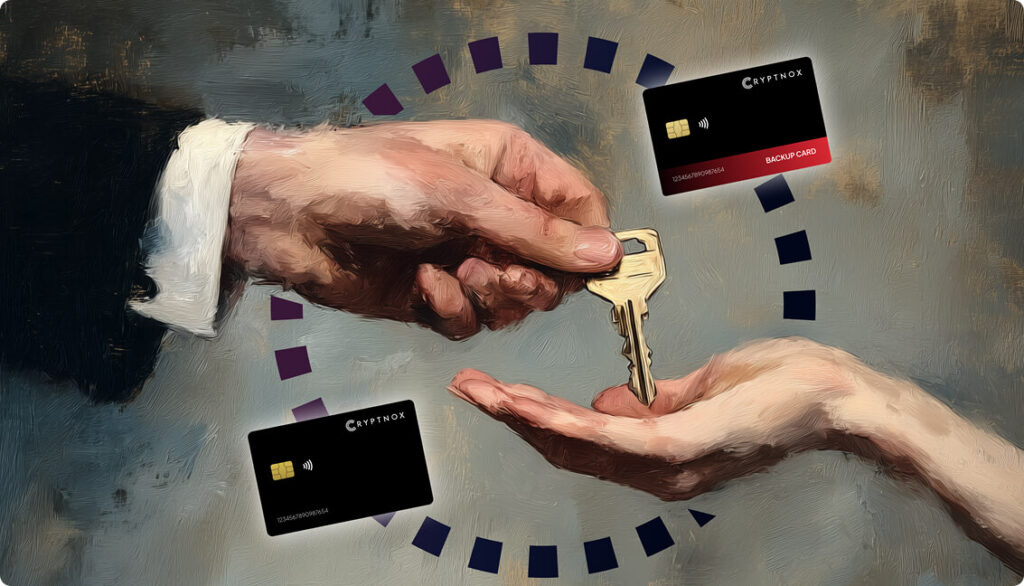
- Dual-Card Backup System: Never lose access to your keys with our innovative dual-card setup, allowing secure initialization and recovery using any pair of Cryptnox cards.
- Biometric Authentication: Add an extra layer of protection with built-in biometrics, ensuring only you can access your wallet.
- FIDO2 Functionality: Now included with every card, enabling secure logins, consent adjustments, and more across compatible platforms.
- Multi-Blockchain Support: Access a wide range of networks, including popular ones for DeFi and Web3 applications.
- PIN/PUK Security: Robust credentials to prevent unauthorized access, with reset options available without compromising your seed.
- BIP39 Compatibility: Easily import existing seeds or generate new ones for ultimate flexibility.
Product Specifications:
- Security: Firmware audited by external cybersecurity firms; no personally identifiable data stored; prevents unauthorized access.
- Integration: Works seamlessly with DeFi apps, Web3 platforms, MetaMask, and WalletConnect; supports iOS and Android apps via Apple Store and Google Play.
- Delivery: Fast shipping worldwide; available directly from Cryptnox Shop or Amazon in DE, FR, IT, BE, SE, ES, PL, NL, CA, MX, AU.
- Performance: High-security smartcard tech with quick response times and reliable connectivity.
What It’s Built For:
Cryptnox hardware wallets are your go-to solution for:
- Secure Storage: Safeguard your cryptocurrencies with hardware-level protection against hacks and theft.
- DeFi and Web3 Access: Use your card for decentralized finance, NFTs, and other blockchain applications without exposing your keys.
- Backup and Recovery: Perform dual-card setups for redundancy, or reset credentials if needed, all while maintaining control.
- Multi-Account Management: Handle multiple wallets and seeds, including BIP39 imports, for diverse crypto portfolios.
- Everyday Security: Leverage FIDO2 for secure logins, social sharing, and more in a user-friendly package
- Specialized Tasks: From token swaps to analytics tracking, Cryptnox adapts to your crypto needs.
Why Cryptnox Stands Out:
This isn’t just a wallet it’s a fortress for your digital future. With no access to your keys by Cryptnox (we never store or see them), audited firmware for top-tier reliability, and global availability, our hardware empowers beginners and experts alike. Backed by comprehensive tutorials, blogs, technical resources, and 24/7 support, Cryptnox ensures you stay ahead in the crypto world with unmatched security, simplicity, and innovation.
Cryptnox Hardware Wallets – Your Gateway to Secure, User-Friendly Crypto Management.
Ready to secure your assets? Buy a Cryptnox Hardware Wallet now and protect your crypto with ease.
2. Ledger Nano X
The Ledger Nano X remains a flagship choice for cryptocurrency storage, supporting over 5,500 digital assets including USDT on multiple networks. This device handles ERC-20, TRC-20, BEP-20, Polygon, and Arbitrum versions of Tether, giving users flexibility across all major blockchains. Bluetooth connectivity allows wireless management through the Ledger Live mobile app, making it convenient for on-the-go transactions. The compact design combines portability with robust security features.
Key features:
- USB and Bluetooth connectivity
- EAL6+ certified Secure Element chip
- Support for USDT on ERC-20, TRC-20, BEP-20, Polygon, Arbitrum
- 5,500+ supported coins and tokens
- Ledger Live app for mobile management
- Small OLED screen for transaction verification
- Backup via 24-word recovery phrase
- Priced at $149
Best for: Multi-chain USDT users, mobile traders, large holdings, DeFi participation
Pros: Extensive blockchain support, Bluetooth mobile access, strong security reputation, wide DeFi compatibility
Cons: Premium pricing, closed-source firmware, smaller screen for transaction details
3. Trezor Model T
Trezor Model T brings open-source transparency to hardware wallet security with support for thousands of cryptocurrencies including USDT on ERC-20 and BEP-20 networks. The color touchscreen interface makes navigation intuitive, while Shamir Backup allows you to split your recovery seed across multiple shares for enhanced protection. Trezor’s commitment to open-source code lets security researchers verify the firmware, building trust through transparency.
Key features:
- Color touchscreen display
- USB-C connectivity
- USDT support on ERC-20 and BEP-20
- 8,500+ supported assets
- Shamir Backup for advanced recovery
- Fully open-source firmware
- FIDO2 authentication support
- No secure element (uses general-purpose chip)
- Priced around $169
Best for: Security-focused users, open-source advocates, privacy-conscious holders
Pros: Complete firmware transparency, intuitive touchscreen, advanced backup options, strong community support
Cons: No dedicated secure element chip, higher price point, limited USDT network options compared to competitors
4. Tangem Wallet
Tangem Wallet takes a unique credit-card approach to hardware storage, using NFC technology to eliminate batteries and cables entirely. The wallet ships with multiple cards that act as backups, supporting 16,000+ cryptocurrencies including USDT across various chains. Each card contains an EAL6+ certified chip, providing bank-grade security in an ultra-portable format that fits in your wallet alongside payment cards.
Key features:
- Card-style NFC hardware wallet
- No battery or charging required
- EAL6+ certified secure chip
- Support for USDT on multiple chains
- 16,000+ supported cryptocurrencies
- Multi-card backup system (2-3 cards)
- Mobile app required for all operations
- No physical display screen
- Priced from $54.90
Best for: Beginners, travelers, long-term cold storage, minimal complexity
Pros: Extremely portable, no charging needed, affordable entry price, multi-card redundancy
Cons: No display for transaction verification, closed-source firmware, requires smartphone for every transaction
5. SafePal S1
SafePal S1 delivers air-gapped security at an accessible price point, supporting thousands of tokens across 200+ blockchains including all major USDT networks. The device uses QR code scanning for completely offline transaction signing, eliminating wireless attack vectors. A self-destruct mechanism triggers if physical tampering is detected, providing an additional security layer against sophisticated attacks.
Key features:
- Completely air-gapped (no USB, Bluetooth, or WiFi)
- QR code transaction signing
- EAL6+ certified secure chip
- USDT support on multiple networks
- 200+ blockchain networks supported
- Self-destruct tamper protection
- Color touchscreen display
- Staking support through SafePal app
- Priced at $49.99
Best for: Budget-conscious users, security-focused holders, staking USDT, air-gap preference
Pros: Affordable price, complete air-gap security, tamper detection, extensive network support
Cons: QR code workflow less convenient, basic user interface, less established brand reputation
6. Ledger Stax
Ledger Stax represents the premium tier of hardware wallets with a curved E-Ink touchscreen that displays NFT art and transaction details clearly. Supporting 5,500+ tokens including USDT on various protocols, it combines the security reputation of Ledger with luxury design elements. Wireless charging and Bluetooth connectivity make it a high-end choice for users who prioritize both security and aesthetics.
Key features:
- Large curved E-Ink touchscreen
- Wireless Qi charging
- Bluetooth and USB-C connectivity
- Secure Element chip protection
- USDT support across multiple chains
- 5,500+ supported tokens
- NFT display capabilities
- Ledger Live ecosystem integration
- Priced at $249
Best for: Diversified portfolios, NFT collectors, premium experience seekers, frequent USDT transactions
Pros: Premium build quality, excellent display, wireless convenience, NFT showcase features
Cons: High price point, closed firmware, large form factor less portable
7. Trezor Safe 3
Trezor Safe 3 brings affordable open-source security with an EAL6+ certified chip, addressing previous criticisms of Trezor devices. Supporting 7,000+ assets including USDT, it maintains the company’s commitment to transparency while adding a secure element for enhanced protection. USB-C connectivity and a compact design make it practical for everyday use without sacrificing the security features expected from Trezor.
Key features:
- EAL6+ secure element chip
- Fully open-source firmware
- USB-C connectivity
- USDT support on major networks
- 7,000+ supported cryptocurrencies
- Color touchscreen interface
- 24-word recovery seed
- Shamir Backup option
- Priced at $79
Best for: Budget security, Bitcoin-focused users with USDT holdings, open-source preference
Pros: Affordable with secure element, open-source verification, good coin support, trusted brand
Cons: Smaller screen than premium models, fewer USDT network options, basic feature set
8. Ellipal Titan 2.0
Ellipal Titan 2.0 offers complete air-gap isolation with support for 10,000+ coins including USDT across multiple networks. The device never connects to the internet, using only QR codes for communication with the mobile app. Its metal body provides physical protection, while the large touchscreen makes navigation easier than smaller hardware wallets. Firmware updates load via SD card to maintain the air-gap security model.
Key features:
- Completely air-gapped design
- Metal anti-tamper body
- Large color touchscreen
- QR code transaction signing
- USDT support on multiple chains
- 10,000+ supported assets
- SD card firmware updates
- NFT and DeFi support
- Priced around $169
Best for: Long-term holding, maximum security focus, large USDT portfolios
Pros: Total network isolation, tamper-evident construction, large display, extensive coin support
Cons: Not open-source, QR code workflow slower, bulkier than competitors, no Bluetooth convenience
9. SecuX V20
SecuX V20 combines touchscreen convenience with Bluetooth connectivity, supporting a wide variety of coins including USDT on major networks. The device features PIN protection and encrypted storage within its secure element, balancing security with user-friendly design. Its mobile app integration allows management of multiple accounts and easy switching between different cryptocurrencies.
Key features:
- Large color touchscreen
- Bluetooth and USB-C connectivity
- Secure element chip protection
- USDT support on ERC-20, TRC-20, BEP-20
- PIN and passphrase protection
- Mobile app for account management
- Cross-platform compatibility
- NFT support
- Priced approximately $139
Best for: Touchscreen preference, mobile management, moderate security needs
Pros: Intuitive interface, good connectivity options, reasonable price, solid security features
Cons: Less established brand, limited advanced features, closed-source firmware
10. Cypherock X1
Cypherock X1 introduces a seedless approach using Shamir Secret Sharing across four physical cards, eliminating traditional seed phrase vulnerabilities. Supporting 18,000+ assets including USDT, the wallet requires multiple cards to reconstruct keys, preventing single points of failure. An EAL6+ chip in each card provides hardware security, while the audited firmware gives users confidence in the system’s cryptographic implementation.
Key features:
- Seedless multi-card system
- Four-card Shamir Secret Sharing
- EAL6+ certified chips
- USDT support on multiple networks
- 18,000+ supported assets
- No single seed phrase vulnerability
- Open-source and audited
- Touchscreen display
- Priced at $129
Best for: Eliminating seed phrase risks, distributed security, tech-savvy users
Pros: Innovative security model, no seed phrase to protect, hardware redundancy, audited code
Cons: Requires managing multiple cards, higher learning curve, newer product with less track record
11. OneKey Pro
OneKey Pro targets advanced users with 30,000+ token support including USDT on all major networks. The open-source firmware, fingerprint authentication, and wireless charging create a premium experience for security-conscious users. Four EAL6+ secure chips provide redundant protection, while rapid firmware verification ensures updates maintain security integrity.
Key features:
- Open-source architecture
- Fingerprint biometric authentication
- Four EAL6+ secure chips
- Wireless Qi charging
- Bluetooth, USB-C, and NFC connectivity
- USDT support across 30+ chains
- 30,000+ supported tokens
- Color touchscreen
- Priced around $278
Best for: Advanced users, multi-chain USDT management, maximum security features
Pros: Complete open-source verification, fingerprint convenience, extensive network support, premium build
Cons: Higher price point, bulkier design, feature complexity may overwhelm beginners
12. Ledger Nano S Plus
Ledger Nano S Plus serves as the entry-level option in the Ledger lineup, supporting over 5,000 assets, including USDT on major networks. The compact design and straightforward interface make it accessible for beginners, while maintaining the security features that established Ledger’s reputation. USB-C connectivity and a larger screen than the original Nano S improve usability without increasing size significantly.
Key features:
- Compact USB device
- USB-C connectivity
- Secure Element chip protection
- USDT support on ERC-20, TRC-20, BEP-20
- 5,000+ supported cryptocurrencies
- Ledger Live ecosystem
- 24-word recovery phrase
- Basic OLED display
- Priced at $79
Best for: Beginners, budget-friendly security, essential features
Pros: Affordable entry point, trusted brand, good asset support, compact size
Cons: No Bluetooth connectivity, smaller screen, basic feature set, closed firmware
13. Trezor Safe 7
Trezor Safe 7 introduces quantum-resistant security with dual chips and wireless features, supporting 9,000+ coin,s including USDT. The water-resistant design protects against environmental damage, while staking support allows users to earn yields on compatible assets. Wireless charging and Bluetooth connectivity add convenience to Trezor’s open-source security foundation.
Key features:
- Quantum-secure cryptography preparation
- Dual secure element chips
- Wireless charging and Bluetooth
- Water-resistant construction
- USDT support on multiple networks
- 9,000+ supported cryptocurrencies
- Staking integration
- Open-source firmware
- Priced at $249
Best for: Future-proof security, quantum threat awareness, staking USDT-related assets
Pros: Forward-looking security, wireless convenience, environmental protection, staking support
Cons: Premium pricing, newer product with less history, quantum threats not yet imminent
14. Ledger Flex
Ledger Flex features a curved E-Ink touchscreen with Bluetooth connectivity, supporting multiple networks for USDT transactions. The EAL6+ chip provides hardware security, while clear transaction signing on the E-Ink display ensures you can verify details before approving transfers. Premium build quality and the Ledger ecosystem integration make it suitable for users wanting a high-end experience.
Key features:
- Curved E-Ink touchscreen
- Bluetooth and USB-C connectivity
- EAL6+ secure element chip
- USDT support across major protocols
- 5,500+ supported tokens
- Clear transaction signing
- Ledger Live integration
- Premium aluminum body
- Priced at $249
Best for: Secure transaction verification, premium experience, clear display preference
Pros: Excellent E-Ink display, strong security, Ledger ecosystem, clear signing interface
Cons: High price, closed firmware, larger form factor, similar features to cheaper Ledger models
15. BitBox02
BitBox02 emphasizes simplicity with support for about 1,500 coins, including USDT on ERC-20 and BEP-20 networks. The compact device weighs only 12 grams, making it highly portable for travel. Touch buttons provide input, while the open-source firmware allows security verification by the community. BitBox focuses on doing fewer things exceptionally well rather than supporting every possible feature.
Key features:
- Ultra-lightweight (12g)
- Touch button input
- Open-source firmware
- USDT support on ERC-20 and BEP-20
- 1,500+ supported coins
- USB-C connectivity
- Minimal design approach
- Swiss engineering
- Priced around $149
Best for: Simplicity preference, portability, open-source requirement
Pros: Extremely lightweight, clean interface, open-source verification, focused feature set
Cons: Limited coin support, fewer USDT networks, no touchscreen, basic functionality
How to Choose the Right Hardware Wallet for Tether
Selecting a hardware wallet for USDT storage depends on your specific usage patterns and security requirements. Consider which blockchain networks you use most frequently, as some wallets support more USDT versions than others. If you actively participate in DeFi on Ethereum, prioritize wallets with strong ERC-20 support and MetaMask integration. Users who make frequent transfers might prefer TRC-20 compatibility for lower fees.
Security certification levels matter when protecting substantial holdings. Wallets with EAL6+ secure element chips provide the highest hardware protection available, meeting banking industry standards. Backup mechanisms should align with your comfort level, some users prefer traditional seed phrases, while others appreciate dual-card systems or seedless multi-card approaches that eliminate single points of failure.
Your interaction frequency with USDT also influences the best choice. Active traders benefit from Bluetooth connectivity and mobile apps that enable quick transactions, while long-term holders might prioritize air-gapped devices that never connect to the internet. DeFi users need seamless WalletConnect compatibility to interact with lending platforms, liquidity pools, and yield farming opportunities while maintaining hardware wallet security.
Setting Up Your Hardware Wallet for USDT Storage
Setting up a hardware wallet for Tether storage follows a straightforward process regardless of which device you choose. After unboxing, you’ll initialize the wallet by creating a new seed or importing an existing one. Most devices generate a recovery phrase (typically 12 or 24 words) that you must write down and store securely offline, this phrase allows you to recover your USDT if the hardware wallet is lost or damaged.
Next, install the companion mobile app or desktop software specific to your wallet. Connect the hardware wallet via USB, Bluetooth, or NFC, depending on the model. The software will guide you through device pairing and may require you to verify a code on the wallet’s screen. Once connected, add the blockchain networks you need for USDT. Common options include Ethereum (ERC-20), Tron (TRC-20), and Binance Smart Chain (BEP-20).
After network configuration, generate or import addresses for each USDT version you want to hold. The wallet creates unique addresses for different networks, so your ERC-20 USDT address differs from your TRC-20 address. Test the setup by securely transferring cryptocurrency in a small amount of USDT first to confirm everything works correctly before transferring larger amounts. Always verify recipient addresses on the hardware wallet’s screen rather than trusting the computer or phone display alone.
ERC-20 vs. TRC-20 vs. BEP-20: Which USDT Network to Use
Choosing between USDT network versions requires understanding the trade-offs between fees, speed, and compatibility. ERC-20 on Ethereum offers the broadest ecosystem access, with virtually every DeFi platform, centralized exchange, and decentralized application supporting it. Gas fees represent the main drawback, ranging from $2-50+ depending on network congestion. Use ERC-20 USDT when interacting with Ethereum DeFi, making large transfers where fees matter less proportionally, or when the receiving platform only accepts this version.
TRC-20 on Tron excels for frequent transfers and lower-value transactions, with fees typically under $1 regardless of amount. The network processes transactions quickly, making it ideal for merchant payments, regular exchange deposits/withdrawals, and situations where you transfer USDT multiple times daily. Many centralized exchanges support TRC-20 deposits specifically because of the cost efficiency, though DeFi platform support remains more limited than Ethereum.
BEP-20 on Binance Smart Chain provides middle-ground positioning with fees around $0.10-1 and good DeFi platform availability. BSC works well for users who trade on Binance, participate in BSC-based DeFi protocols, or want faster confirmations than Ethereum without sacrificing too much ecosystem access. The network gained significant DeFi adoption during periods of high Ethereum gas fees, creating a robust application ecosystem.
When selecting networks, verify that both the sending and receiving platforms support the same USDT version. Sending TRC-20 USDT to an ERC-20 address results in permanent loss unless the exchange can recover it. Check network support before initiating transfers and consider keeping small amounts on multiple networks for flexibility based on transaction needs.
Hardware Wallet Security for Stablecoin Holders
Protecting USDT with a hardware wallet involves following security best practices beyond just using the device. Always verify recipient addresses by checking the first and last several characters displayed on the hardware wallet’s screen before confirming transactions. Malware can modify addresses in your clipboard or on-screen, but the hardware wallet displays the actual destination address. This simple verification step prevents the most common attack vector against hardware wallet users.
Keep your hardware wallet firmware updated through official channels only. Manufacturers release security patches and new features regularly, but only download updates from the verified website or official app. Phishing sites often impersonate hardware wallet companies to distribute malware disguised as firmware updates. Bookmark the legitimate website when you first purchase the device and only use that bookmark for updates.
Store your backup seed phrase completely offline in a secure location, never photographing it or typing it into any device connected to the internet. Consider securely generating your BIP39 seed phrase for long-term protection. For substantial USDT holdings, split the backup between two secure locations so single-location risks don’t threaten recovery access. Some users employ Shamir Backup to split the seed across multiple shares, requiring a threshold number to reconstruct.
Network selection deserves careful attention when transferring USDT since choosing the wrong blockchain results in permanent loss. Always select the network explicitly rather than assuming default settings match your needs. Test with small amounts when using a new exchange or platform for the first time, confirming the transfer completes successfully before moving larger holdings. Monitor your wallet addresses periodically for unexpected activity that might indicate compromised security.
FAQ
What is the best hardware wallet for Tether (USDT)?
The Cryptnox hardware wallet stands out as a leading choice for Tether storage, offering EAL6+ certified security with multi-chain USDT support across ERC-20, BEP-20, and Polygon networks. Its dual-card backup system prevents loss of access, while biometric authentication and seamless Web3 integration make it practical for both cold storage and active DeFi use. Other strong options include Ledger Nano X for Bluetooth convenience and extensive network support, or Trezor Model T for open-source transparency.
Can I store Tether on a hardware wallet?
Yes, all major hardware wallets support storing Tether (USDT) across various blockchain networks. Most devices handle ERC-20 USDT on Ethereum by default, with many also supporting TRC-20 on Tron, BEP-20 on Binance Smart Chain, and USDT versions on Polygon, Arbitrum, and other chains. Hardware wallets keep your private keys offline in secure element chips, making them the safest option for protecting USDT holdings from hacks, exchange failures, and remote attacks.
Which hardware wallets support TRC-20 USDT?
Several hardware wallets support TRC-20 USDT on the Tron network, including Ledger Nano X, SafePal S1, SecuX V20, and Ellipal Titan 2.0. When selecting a Tether hardware wallet specifically for TRC-20 usage, verify the device’s explicit Tron network compatibility in its specifications. TRC-20 support allows you to benefit from Tron’s low transaction fees (under $1) and fast confirmation times, making it ideal for frequent USDT transfers and cost-sensitive users.
Do hardware wallets support Tether on multiple chains?
Modern hardware wallets typically support USDT across multiple blockchain networks simultaneously, allowing you to hold ERC-20, TRC-20, BEP-20, and other versions on a single device. The Cryptnox hardware wallet, for example, handles Ethereum, Binance Smart Chain, and Polygon USDT with the ability to manually add additional networks. This multi-chain flexibility lets you choose the most cost-effective or compatible network for each transaction while maintaining unified security through one hardware wallet.
Secure your Tether holdings with the Cryptnox hardware wallet today – Cryptonox