
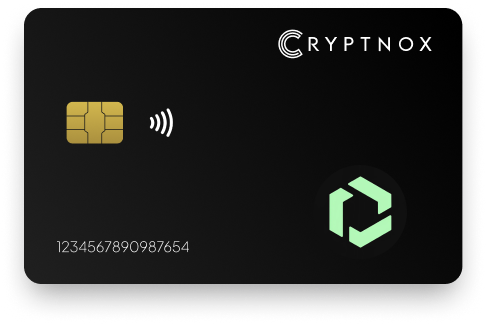
Secure Your Digital Assets with Confidence
Experience next-level protection for your digital assets with a premium hardware wallet built for security-first users
Designed around advanced encryption and a dedicated secure chip, it delivers robust offline storage while supporting a wide range of digital assets and ecosystems
The streamlined setup lets you get started in minutes, giving you access to true cold storage, reliable backup options, and full control over your assets
Engineered for performance and peace of mind, this hardware wallet is a trusted solution for anyone seeking long-term security beyond online threats
Buy it from CRYPTNOX shop directly
Accepts:

Preferred shopping solution for US:

Also available on other Amazon shops:
DE, FR, IT, BE, SE, ES, PL, NL, CA, MX, AU
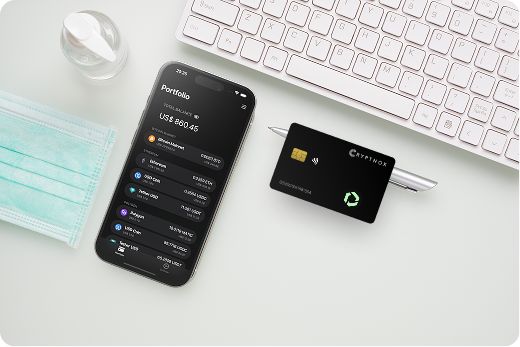
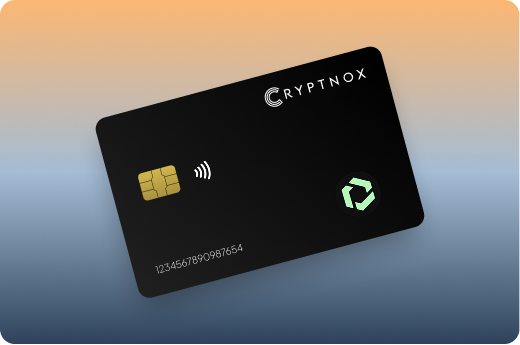
Keeps sensitive access data fully offline, protecting against online threats
Delivers a higher level of security compared to software-based solutions
Enables quick, secure actions while maintaining maximum protection
Introducing Cryptnox, the revolutionary hardware wallet designed to keep your digital assets safe, accessible, and fully under your control. Built on advanced smartcard technology, our wallets feature a secure dual-card backup system, biometric authentication, and seamless integration with MetaMask, WalletConnect, and Web3 apps. Whether you’re storing cryptocurrencies, swapping tokens, or diving into DeFi, Cryptnox delivers bank-level security without the complexity, empowering you to manage your portfolio with peace of mind.
Product Features
Product Specifications:
What It’s Built For:
Cryptnox hardware wallets are your go-to solution for:
Why Cryptnox Stands Out:
This isn’t just a wallet it’s a fortress for your digital future. With no access to your keys by Cryptnox (we never store or see them), audited firmware for top-tier reliability, and global availability, our hardware empowers beginners and experts alike. Backed by comprehensive tutorials, blogs, technical resources, and 24/7 support, Cryptnox ensures you stay ahead in the crypto world with unmatched security, simplicity, and innovation.
Cryptnox Hardware Wallets – Your Gateway to Secure, User-Friendly Crypto Management.
Ready to secure your assets? Buy a Cryptnox Hardware Wallet now and protect your crypto with ease.
Rank | Wallet Name | Description |
2 | SafePal S1 | SafePal S1 operates as a completely air-gapped hardware wallet using QR code signing for all transaction operations, eliminating USB and Bluetooth attack surfaces entirely. The device explicitly supports FUSE among over 200 blockchain networks, making custom configuration unnecessary for immediate Fuse Network access. The built-in camera enables seamless QR code scanning for transaction data from MetaMask mobile, while the color touchscreen displays detailed confirmation information including Fuse network fees and recipient addresses. Self-destruct mechanisms protect private keys if tampering is detected, automatically wiping sensitive data before attackers can extract cryptographic material. |
3 | Ledger Flex | Ledger Flex combines premium touchscreen functionality with top-tier CC EAL6+ secure element certification and wireless connectivity options including Bluetooth and NFC. Official Fuse integration tutorials guide users through MetaMask configuration, while Ledger Live provides centralized portfolio management across all supported assets. The curved E-Ink display offers excellent outdoor visibility for mobile Fuse transactions, while wireless charging eliminates cable requirements for convenient everyday use. |
4 | Trezor Safe 5 | Trezor Safe 5 represents fully open-source hardware wallet design with transparent firmware that undergoes regular community audits for security verification. The color touchscreen with haptic feedback provides intuitive navigation, while the EAL6+ secure element chip adds hardware protection to Trezor’s traditionally software-focused security model. Strong EVM support through Trezor Suite enables straightforward Fuse Network configuration via MetaMask integration for reliable custom chain operations. |
5 | OneKey Pro | OneKey Pro delivers premium construction with EAL6+ chip certification and seamless multi-chain support including EVM networks like Fuse. Great app integration allows easy Fuse RPC addition through intuitive network configuration menus. User-friendly interface makes the wallet accessible for beginners while maintaining security standards suitable for substantial holdings. The touchscreen interface with fingerprint authentication and dual connectivity options provides flexibility for various usage scenarios. |
6 | Keystone 3 Pro | Keystone 3 Pro operates as a fully air-gapped wallet using QR codes and camera technology as an official MetaMask partner. Supports 5,500+ coins and tokens across multiple blockchain ecosystems, making it highly versatile for Fuse DeFi transactions alongside other crypto holdings. Triple secure element architecture provides redundant protection layers, while the large color display shows detailed transaction information for careful verification before signing. |
7 | Ellipal Titan | Ellipal Titan offers completely air-gapped wallet design with no USB or Bluetooth connectivity and a large 4-inch touchscreen for comfortable interaction. Supports 10,000+ assets including all ERC-20 tokens on Fuse network through comprehensive cryptocurrency compatibility. Metal construction with anti-tamper seals provides physical durability and security verification, while QR-only communication eliminates all wireless attack vectors for maximum isolation. |
8 | BitBox02 | BitBox02 showcases open-source Swiss engineering with compact minimalist design and native ERC-20 support for FUSE tokens. Integration works via Rabby and MetaMask connectivity with transparent firmware that security researchers can independently audit. Touch sensors provide tactile transaction confirmation feedback, while microSD backup offers additional recovery option beyond standard seed phrases. Privacy-focused design eliminates unnecessary features that could expand attack surfaces. |
9 | GridPlus Lattice1 | GridPlus Lattice1 functions as a desktop powerhouse with advanced transaction decoding capabilities ideal for complex smart contract interactions. Perfect for DeFi operations on Fuse with high-end security features and a large screen that displays detailed contract review information before signing. WiFi connectivity enables seamless integration with desktop and mobile Web3 applications without cable connections, while sophisticated parsing shows human-readable transaction details. |
10 | SecuX V20 | SecuX V20 features rugged metal construction supporting thousands of EVM tokens with easy-to-use mobile and desktop applications. Simple Fuse network setup process through intuitive app interface with clear network configuration menus. Color touchscreen provides clear transaction information, while biometric options add convenient security for frequent access. Durable construction ensures reliable long-term FUSE storage across various environmental conditions. |
11 | KeepKey | KeepKey delivers simple and affordable wallet design with full ETH and ERC-20 support via MetaMask connectivity. Seamless Fuse usage through straightforward MetaMask network addition process, making it accessible for cryptocurrency newcomers. Large OLED display shows transaction details clearly despite the budget-friendly price point, while straightforward interface reduces complexity for basic FUSE token transaction signing and storage operations. |
12 | NGRAVE ZERO | NGRAVE ZERO achieves EAL7 certification as a completely air-gapped wallet with no connections ever, providing ultimate security for substantial holdings. Perfect for high-value FUSE holdings with full EVM compatibility through QR code transaction signing. Biometric authentication, graphene backup plates for indestructible recovery, and the highest Common Criteria security rating available make it the premium choice for maximum protection. |
13 | Tangem Wallet | Tangem Wallet introduces innovative NFC card format with no seed phrase requirement, simplifying the backup process through multiple physical cards. Supports EVM chains via mobile app for quick Fuse access through tap-to-sign convenience. Waterproof IP68 rating ensures durability in various conditions, while the ultra-thin card format fits easily in standard wallets alongside traditional payment cards for ultimate portability and everyday carry convenience. |
14 | Ledger Stax | Ledger Stax features stylish E-Ink curved display with full Ledger ecosystem integration and Bluetooth connectivity for wireless operation. Perfect for managing FUSE alongside diverse asset portfolios with the visual appeal of customizable screen displays. Wireless charging eliminates cable requirements, while premium design makes it attractive for users who value aesthetics alongside security. Seamless Fuse DeFi integration through Ledger Live and MetaMask connectivity. |
15 | D’CENT Biometric | D’CENT Biometric incorporates fingerprint scanner technology for extra security layer supporting major EVM networks including Fuse. Convenient for everyday Fuse transactions with quick fingerprint authentication replacing PIN entry for frequent access. Wireless connectivity enables flexible smartphone pairing, while the color screen displays transaction details clearly. Biometric authentication provides security suitable for frequent use without sacrificing protection standards. |
Configuring hardware wallet access for Fuse Network follows the same process used for other EVM-compatible blockchains like Polygon, Arbitrum, or Avalanche. The setup requires adding custom network parameters to MetaMask or compatible Web3 wallets that bridge your hardware device to Fuse infrastructure.
Begin by ensuring your hardware wallet firmware is updated to the latest version for optimal security and compatibility. Connect the device using your preferred method—USB cable for wired wallets, Bluetooth pairing for wireless devices, or NFC proximity for card-format wallets like Cryptnox.
Open MetaMask and navigate to the network dropdown menu, selecting “Add Network” to begin custom configuration. Enter the Fuse Network RPC endpoint URL, chain ID (122 for Fuse mainnet), currency symbol (FUSE), and block explorer URL. Save these settings to make Fuse available as a selectable network in your wallet interface.
After configuration, verify the connection works properly by checking your FUSE token balance displays correctly. Send a small test transaction to confirm your hardware wallet properly signs Fuse Network operations. The device screen should show transaction details including recipient address, amount, and network fees for your physical confirmation.
For users managing multiple EVM chains, Fuse integrates seamlessly alongside Ethereum, Polygon, Fantom, and Tron networks within the same MetaMask interface. Simply switch between networks using the dropdown menu while your hardware wallet maintains security across all chains.
Fuse Network’s primary use case centers on real-world payment applications that require frequent transaction signing with minimal friction. Hardware wallet integration with payment dApps provides security suitable for everyday spending without compromising the convenience that mainstream adoption demands.
Most Fuse payment applications connect through WalletConnect protocol or direct MetaMask integration that hardware wallets support natively. Scan the QR code or click the connection button within the payment app, select your MetaMask wallet connected to your hardware device, and approve the connection on your physical wallet.
Once connected, payment apps request transaction signatures for each operation—sending FUSE to merchants, tipping content creators, or participating in reward programs. Your hardware wallet displays the transaction details including recipient, amount, and network fee for physical confirmation before broadcasting. This workflow prevents malicious payment apps from draining funds even if your smartphone is compromised by malware.
NFC-enabled hardware wallets like Cryptnox provide the fastest signing experience for point-of-sale scenarios. Simply tap the card to your smartphone when prompted for transaction confirmation, review the details on-screen, and authenticate with biometric verification or PIN. The entire process takes seconds, making secure blockchain payments as convenient as traditional contactless card payments.
Frequent payment operations benefit from hardware wallets with streamlined authentication methods. Biometric fingerprint sensors eliminate repetitive PIN entry for users making dozens of Fuse transactions daily, while NFC tap-to-sign provides physical confirmation without lengthy connection processes.
Some advanced users configure session-based approvals for trusted payment applications, allowing multiple transactions within defined limits without repeated hardware confirmations. This approach balances security with convenience for regular merchants or applications you interact with frequently. Always ensure session limits remain conservative to prevent substantial losses if an application is compromised.
Protecting FUSE tokens with hardware wallets provides strong security, but proper operational practices amplify protection against sophisticated threats. Understanding the complete security model ensures your Fuse holdings remain safe from both remote attacks and physical theft scenarios.
Proper backup procedures form the foundation of long-term FUSE security. Traditional seed phrase backups written on paper degrade over time and remain vulnerable to fire or water damage. Consider metal backup plates or dual-card backup systems that provide redundancy against physical destruction.
Store backup materials in separate physical locations to prevent single points of failure. A home safe combined with a bank safety deposit box ensures backup access survives localized disasters. Never photograph seed phrases or store them digitally where malware could access them.
For substantial FUSE holdings, test your recovery process periodically using a secondary device. Verify your BIP39 seed phrase successfully restores access to your funds through compatible wallet software. This practice confirms your backup remains readable and you understand the recovery procedure before emergency situations arise.
Always verify transaction details displayed on your hardware wallet screen match the information shown in MetaMask or payment applications. Sophisticated malware can alter on-screen addresses in software wallets, but hardware devices display true transaction data signed by your private keys. Compare recipient addresses character-by-character for high-value transfers.
Be particularly cautious with smart contract interactions on Fuse DeFi protocols. Review contract addresses against official documentation, check token approval amounts don’t exceed intended values, and understand what permissions each signature grants. Hardware wallets display these details for verification, but users must recognize suspicious patterns to prevent cryptodrainer exploits.
For maximum security during DeFi operations, use air-gapped hardware wallets that eliminate all wireless connectivity. QR code signing ensures transaction data cannot be intercepted or modified during the signing process, providing protection against sophisticated man-in-the-middle attacks targeting Bluetooth or USB connections.
Protect your Fuse assets with Cryptnox hardware wallet – bank-grade security meets mobile convenience.
The Cryptnox solution is a high-security hardware wallet based on the latest smartcard technology available A seed is either generated or injected as part of the initialization process, which makes it compatible with the BIP32 and BIP39 standards When choosing the Dual Card Setup option, you can generate an identical seed in two cards in only seconds, and store the backup card in a safe place for recovery
A hardware wallet is a physical device designed to securely store private keys offline Keeping sensitive data disconnected from the internet, it significantly reduces exposure to hacking, malware, and phishing attacks
Unlike software wallets that operate on internet-connected devices, hardware wallets isolate private keys in a secure environment Transactions are signed internally, ensuring keys never leave the device or are exposed online
Yes! Hardware wallets are ideal for long-term asset protection Offline storage, durable hardware, and secure backup mechanisms make them well-suited for holding assets safely over extended periods
Access can be restored using a secure recovery process, typically based on a recovery phrase or backup solution created during setup This ensures assets remain accessible even if the physical device is no longer available
Modern hardware wallets are designed with user-friendly interfaces and guided setup processes
This makes them accessible to beginners while still meeting the security standards required by advanced users
Yes, hardware wallets work seamlessly with Fuse payment applications through MetaMask or WalletConnect integration. Connect your hardware wallet to MetaMask, add the Fuse Network configuration, and payment apps will request transaction signatures from your physical device. NFC-enabled wallets like Cryptnox provide particularly convenient tap-to-sign functionality ideal for frequent payment operations. The hardware wallet displays transaction details on its screen for verification before signing, preventing malicious payment apps from draining your FUSE tokens even if your smartphone is compromised.
Connecting your hardware wallet to Fuse requires adding custom network parameters to MetaMask. Install MetaMask on desktop or mobile, connect your hardware device via USB, Bluetooth, or NFC, then add a new network with Fuse’s RPC URL, chain ID 122, and FUSE as the currency symbol. Once configured, MetaMask acts as the interface between Fuse dApps and your hardware wallet. The process works identically to connecting other EVM-compatible chains like Polygon or Avalanche, with your hardware wallet providing signature security across all networks.
All EVM-compatible hardware wallets support Fuse Network through MetaMask integration, including Cryptnox, Ledger, Trezor, and other major brands. Some devices like SafePal S1 list explicit FUSE support in their coin compatibility lists, while others require manual network configuration. Cryptnox provides particularly strong Fuse compatibility with its mobile-first NFC design optimized for payment networks. The key requirement is EVM support, which enables hardware wallets to sign Fuse transactions identically to Ethereum operations once network parameters are configured.
Hardware wallets provide the safest storage method for FUSE tokens by keeping private keys offline in secure element chips with EAL6+ certification. Unlike exchange wallets or software wallets where private keys remain online and vulnerable to hacking, cold storage wallets require physical device access for transaction signing. This architecture protects against remote theft, phishing attacks, and cryptodrainer exploits targeting Fuse DeFi users. Combined with proper backup procedures, hardware wallets offer bank-grade security suitable for substantial FUSE holdings.
Yes, hardware wallets work excellently with Fuse’s ultra-low gas fees, making secure signing economical even for microtransactions. Unlike the Ethereum mainnet, where hardware wallet confirmation costs might exceed small transaction values, Fuse fees typically remain under $0.01 per transaction. This makes physical wallet security practical for everyday payments, frequent DeFi operations, and point-of-sale scenarios. Mobile-optimized hardware wallets with NFC or biometric authentication provide quick signing that doesn’t create friction for regular Fuse payment operations, enabling secure blockchain payments suitable for mainstream adoption.