
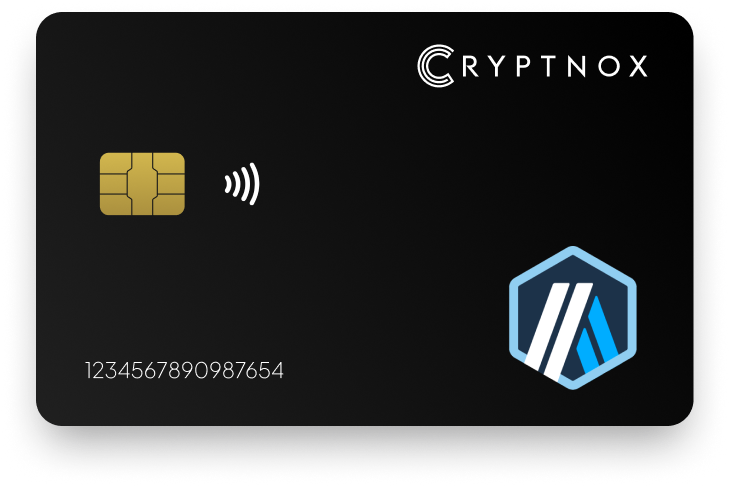
Secure Your Digital Assets with Confidence
Experience next-level protection for your digital assets with a premium hardware wallet built for security-first users
Designed around advanced encryption and a dedicated secure chip, it delivers robust offline storage while supporting a wide range of digital assets and ecosystems
The streamlined setup lets you get started in minutes, giving you access to true cold storage, reliable backup options, and full control over your assets
Engineered for performance and peace of mind, this hardware wallet is a trusted solution for anyone seeking long-term security beyond online threats
Buy it from CRYPTNOX shop directly
Accepts:

Preferred shopping solution for US:

Also available on other Amazon shops:
DE, FR, IT, BE, SE, ES, PL, NL, CA, MX, AU
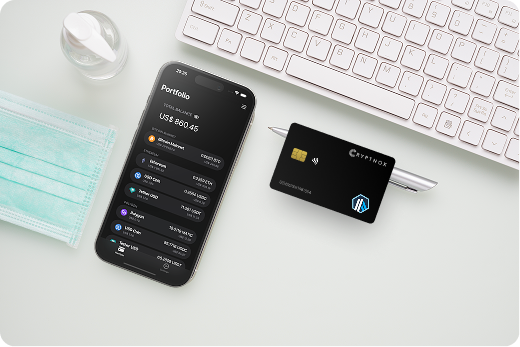
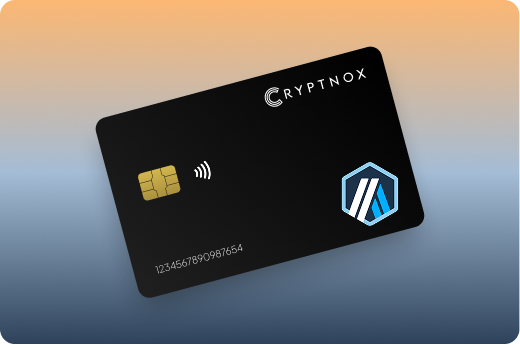
Keeps sensitive access data fully offline, protecting against online threats
Delivers a higher level of security compared to software-based solutions
Enables quick, secure actions while maintaining maximum protection
Introducing Cryptnox, the revolutionary hardware wallet designed to keep your digital assets safe, accessible, and fully under your control. Built on advanced smartcard technology, our wallets feature a secure dual-card backup system, biometric authentication, and seamless integration with MetaMask, WalletConnect, and Web3 apps. Whether you’re storing cryptocurrencies, swapping tokens, or diving into DeFi, Cryptnox delivers bank-level security without the complexity, empowering you to manage your portfolio with peace of mind.
Product Features
Product Specifications:
What It’s Built For:
Cryptnox hardware wallets are your go-to solution for:
Why Cryptnox Stands Out:
This isn’t just a wallet it’s a fortress for your digital future. With no access to your keys by Cryptnox (we never store or see them), audited firmware for top-tier reliability, and global availability, our hardware empowers beginners and experts alike. Backed by comprehensive tutorials, blogs, technical resources, and 24/7 support, Cryptnox ensures you stay ahead in the crypto world with unmatched security, simplicity, and innovation.
Cryptnox Hardware Wallets – Your Gateway to Secure, User-Friendly Crypto Management.
Ready to secure your assets? Buy a Cryptnox Hardware Wallet now and protect your crypto with ease.
Hardware Wallet | Description |
Ledger Stax | Premium E-Ink curved touchscreen with excellent native Arbitrum support in Ledger Live. Secure element chip, Bluetooth/NFC connectivity. Ideal for managing ARB tokens and DeFi protocols securely. |
Ledger Flex | Compact touchscreen model with NFC and strong security features. Seamless Arbitrum integration via Ledger Live, great for mobile users and everyday Layer 2 transactions. |
Ledger Nano X | Bluetooth-enabled classic with broad coin support. Reliable native Arbitrum handling in Ledger Live, popular for balancing security and portability across Layer 2 networks. |
Trezor Safe 5 | Open-source firmware with color touchscreen and secure element. Excellent for Arbitrum via MetaMask/Rabby, strong transparency and passphrase protection for Optimistic Rollup assets. |
Trezor Safe 3 | Affordable open-source option with secure chip. Solid EVM/Arbitrum compatibility through third-party wallets, great value for long-term cold storage of Layer 2 holdings. |
OneKey Pro | Open-source touchscreen wallet with air-gapped QR signing and Bluetooth. Native MetaMask integration and full EVM support including Arbitrum One for DeFi users. |
Tangem Wallet | Card-based tap-to-use system with simplified backup process. Supports Arbitrum via mobile app, convenient and secure for beginners managing ARB tokens and Layer 2 assets. |
ELLIPAL Titan | Fully air-gapped QR code wallet with large touchscreen. Supports thousands of tokens on Arbitrum/EVM chains, strong privacy focus for maximum offline security. |
D’CENT Biometric | Fingerprint authentication for quick access. Direct Arbitrum One support and mobile app integration, good for users wanting biometric security with Layer 2 compatibility. |
Keystone Pro | Air-gapped open-source QR wallet. Excellent for secure MetaMask connections and DeFi on Arbitrum, highly rated for air-gap workflows and Optimistic Rollup transactions. |
BitBox02 | Compact open-source Swiss-made wallet. Supports Ethereum/ERC-20 on Arbitrum via companion software, emphasizes simplicity and security for Layer 2 cold storage. |
SafePal S1 | Affordable air-gapped wallet with built-in camera. Broad EVM chain support including Arbitrum, budget-friendly for secure storage of ARB tokens and bridged assets. |
NGRAVE ZERO | Fully air-gapped high-security touchscreen device. Robust EVM compatibility for Arbitrum assets, focused on maximum offline protection with biometric features. |
SecuX W20 / V20 | Metal-built wallet with large screen and Bluetooth. Multi-coin support including Arbitrum via apps, durable option for heavy users managing Layer 2 portfolios. |
Choosing a hardware wallet for Arbitrum One requires understanding both general cold storage principles and specific Optimistic Rollup requirements. Your wallet needs to handle EVM-compatible transactions seamlessly while protecting your private keys offline.
Every hardware wallet on this list supports Arbitrum One through either native integration or MetaMask connectivity. Ledger devices offer the smoothest experience with native Arbitrum support built directly into Ledger Live, letting you view ARB token balances and sign transactions without third-party software. Trezor, OneKey Pro, and most other wallets connect through MetaMask, which means you’ll add Arbitrum One as a custom network and manage transactions through the browser extension.
Native support matters most if you want simplified portfolio tracking and don’t mind using manufacturer software. MetaMask integration works perfectly for DeFi power users who already rely on that ecosystem. Understanding how to use hardware wallets with different interfaces helps you choose the right setup.
Hardware wallets use three main security models for crypto cold storage:
Air-gapped wallets provide maximum security against remote attacks but require camera-equipped devices for QR scanning. Secure element chips balance security with convenience through USB or Bluetooth connections. NFC cards offer the most portable solution for Arbitrum custody while maintaining offline key storage.
Arbitrum’s strength lies in its DeFi ecosystem, GMX for perpetual trading, Camelot for DEX swaps, Uniswap V3 for liquidity provision. Your hardware wallet needs to handle complex smart contract interactions, not just simple token transfers. Look for wallets with proven MetaMask integration if you’re active in DeFi, since most protocols connect through this interface. Learning how to integrate hardware wallets with dApps becomes essential for secure DeFi participation.
Transaction signing speed matters when you’re managing leveraged positions on GMX or providing liquidity on volatile pairs. Bluetooth-enabled wallets (Ledger Nano X, OneKey Pro) let you approve transactions quickly from your phone, while air-gapped devices require QR code scanning that adds 15-30 seconds per interaction.
Moving assets from Ethereum mainnet to Arbitrum One through the official bridge requires your hardware wallet to sign transactions on both networks. Ensure your chosen wallet supports both Ethereum mainnet and Arbitrum One custom networks. The bridging process involves locking funds on Layer 1 and minting equivalent tokens on Layer 2, with a standard 7-day withdrawal period when moving assets back to Ethereum.
Hardware wallets protect you during bridge transactions by keeping your keys offline even when interacting with bridge smart contracts. This matters because bridge exploits have drained hundreds of millions from various Layer 2 networks, though Arbitrum’s native bridge maintains a strong security record. Understanding secure payments and blockchain transactions helps you navigate bridge security.
Arbitrum users split between mobile-first and desktop-heavy workflows. Mobile-optimized wallets like Ledger Flex, Tangem, and Cryptnox’s NFC solution shine for on-the-go NFT collectors and casual DeFi users. Desktop-focused options like Trezor Safe 5 and BitBox02 suit developers and serious traders who prefer larger screens and more control.
Consider where you’ll use Arbitrum most. Mobile wallets excel for checking balances, making quick swaps, and minting NFTs at events. Desktop setups work better for complex DeFi strategies, detailed transaction verification, and managing multiple Layer 2 networks simultaneously.
Arbitrum One uses Optimistic Rollup technology to scale Ethereum by processing transactions off-chain while inheriting Ethereum’s security guarantees. Understanding this architecture helps you appreciate why hardware wallets work seamlessly with Layer 2.
Arbitrum batches hundreds of transactions together and posts them to Ethereum mainnet as compressed data. The network assumes transactions are valid by default (hence “optimistic”) unless someone submits a fraud proof during a challenge period. This approach reduces gas fees to roughly 10-20x cheaper than Ethereum mainnet while maintaining security.
Your hardware wallet signs Arbitrum transactions the same way it handles Ethereum transactions because Arbitrum maintains full EVM equivalence. The wallet doesn’t need special Arbitrum-specific code, it just signs standard Ethereum transactions that happen to execute on Layer 2.
When you send ARB tokens or interact with GMX using your hardware wallet, validators on Arbitrum watch for invalid transactions. If someone tries to cheat, any validator can submit a fraud proof to Ethereum mainnet, which reverses the fraudulent transaction. This challenge period creates the 7-day withdrawal delay when bridging assets back to Ethereum.
Hardware wallets protect your keys during this entire process. Even if Arbitrum’s sequencer acted maliciously or went offline, your private keys remain secured in your device, and you could still withdraw funds directly to Ethereum mainnet through the escape hatch mechanism. This is why self-custody wallets remain essential for Layer 2 security.
Arbitrum’s EVM equivalence means your hardware wallet works identically across both networks. The same transaction signing process, same address format, same token standards (ERC-20, ERC-721, ERC-1155). You don’t need different recovery phrases or separate wallets for Layer 1 and Layer 2.
This equivalence extends to DeFi protocols. When you approve GMX to trade with your funds or provide liquidity on Camelot, your hardware wallet displays these contract interactions just like Ethereum mainnet transactions. The security verification process remains consistent across both layers.
Arbitrum One’s gas savings make hardware wallet usage more economical. While Ethereum mainnet transactions might cost $20-50 during peak times, Arbitrum transactions typically range from $0.50-2. This lower cost means you can justify using your hardware wallet for smaller transactions without fees eating into your profits.
The reduced fees particularly benefit NFT collectors who mint frequently and DeFi users who rebalance positions regularly. You’re not penalized for maintaining security through hardware wallet usage the way high Ethereum gas fees sometimes discourage frequent cold storage interactions.
Arbitrum operates two networks: Arbitrum One for DeFi and high-value transactions, and Arbitrum Nova for gaming and social applications. Most hardware wallets support both through MetaMask by adding custom networks, though Ledger Live currently focuses on Arbitrum One.
Arbitrum Nova uses AnyTrust technology with a Data Availability Committee, trading some decentralization for even lower fees. If you’re managing gaming assets or social tokens on Nova, verify your hardware wallet supports custom EVM networks before committing to a specific model.
Arbitrum continues expanding with new protocols launching weekly. Hardware wallet compatibility ensures you can securely access these new applications without exposing your keys to hot wallets. As the ecosystem grows and your holdings increase, the cold storage provided by reliable hardware wallets becomes increasingly valuable.
Different security architectures offer varying trade-offs between convenience and protection. Understanding these models helps you choose the right non-custodial wallet for your Arbitrum usage patterns.
Air-gapped devices never connect to internet-enabled devices through USB, Bluetooth, or NFC. ELLIPAL Titan, Keystone Pro, NGRAVE Zero, and SafePal S1 use QR codes to transmit signed transactions. You scan the unsigned transaction from MetaMask on your phone or computer, the device displays the signed transaction as a QR code, then you scan it back to broadcast.
This approach eliminates remote attack vectors completely. Even if your computer has malware, it cannot access your private keys because no data connection exists. The trade-off comes in convenience; each transaction requires multiple QR code scans and works best with camera-equipped devices.
Air-gapped wallets excel for long-term storage of substantial Arbitrum holdings or for users maximizing security over convenience. They work perfectly for quarterly portfolio rebalancing but feel cumbersome for active DeFi trading on GMX or frequent Camelot swaps.
Ledger Stax, Ledger Flex, Ledger Nano X, Trezor Safe 5, OneKey Pro, and SecuX models use Bluetooth for wireless connectivity. This lets you approve transactions from your phone without USB cables, making mobile DeFi much smoother. The security concern revolves around Bluetooth being a potential attack surface.
Manufacturers address this through encrypted Bluetooth connections and by transmitting only signed transactions (never private keys) over the wireless connection. Your keys remain in the secure element chip regardless of Bluetooth status. Real-world attacks on hardware wallet Bluetooth remain theoretical rather than observed in the wild.
Bluetooth wallets suit active Arbitrum users who trade regularly, manage multiple DeFi positions, or participate in NFT drops from mobile devices. The convenience gain outweighs minimal security reduction for most users.
Tangem and Cryptnox pack hardware wallet security into credit card form factors using NFC technology. You tap the card against your phone to sign transactions through dedicated apps. These cards contain secure chips similar to payment cards but designed specifically for cryptocurrency key storage.
The portability advantage stands out, cards slip into regular wallets without the bulk of traditional hardware wallets. Tangem’s approach eliminates traditional seed phrases in some configurations, using multiple backup cards instead. Cryptnox maintains seed phrase compatibility while adding NFC convenience for Arbitrum One transactions. Learn more about WalletConnect and Cryptnox card security for seamless dApp integration.
Card-based wallets work exceptionally well for users who want hardware security without carrying additional devices, travelers managing Arbitrum holdings on the go, or anyone seeking an ultra-portable cold storage solution.
Ledger devices, Trezor Safe 5, Trezor Safe 3, and D’CENT Biometric use secure element chips, the same tamper-resistant processors found in passports and banking cards. These chips resist physical attacks, protect keys even if the device’s general-purpose processor is compromised, and meet certification standards like Common Criteria EAL5+.
Secure elements provide proven security through decades of banking industry use. The trade-off involves proprietary technology that security researchers cannot fully audit. Open-source advocates prefer transparent firmware even without secure elements.
For Arbitrum custody, secure element protection matters most when holding significant value or when physical security concerns exist (theft, confiscation scenarios). Understanding how Cryptnox wallet cards resist nonce attacks showcases advanced security implementations.
Trezor Safe 5, Trezor Safe 3, OneKey Pro, BitBox02, and Keystone Pro publish their firmware code publicly. Security researchers worldwide can audit the code for vulnerabilities, ensuring no hidden backdoors or security flaws exist. This transparency builds trust through verifiability rather than manufacturer reputation alone.
The open-source philosophy extends beyond security. Users can verify exactly how their device handles Arbitrum transactions, how it generates addresses, and how it stores encrypted keys. Companies cannot secretly change behavior through firmware updates without community scrutiny.
Open-source wallets particularly appeal to Arbitrum developers, security-conscious users, and anyone who values verifiable trust over blind faith in manufacturers. The Ledger vs Trezor comparison highlights the open-source vs closed-source debate.
NGRAVE Zero and D’CENT Biometric add fingerprint or facial recognition for device access. This creates an additional security layer, even if someone steals your device, they cannot access your Arbitrum holdings without your biometric data. The convenience factor also matters, letting you approve transactions quickly without entering PINs repeatedly.
Biometric systems store templates on-device rather than transmitting your fingerprint data externally. The security concern focuses on whether biometric authentication can be bypassed through spoofing, though modern implementations include liveness detection.
Biometric features suit users who frequently access their hardware wallet and want quick authentication without sacrificing security, particularly valuable when managing active DeFi positions on Arbitrum.
Maximum security requires air-gapped wallets with secure elements and open-source firmware, but no single device offers all three. NGRAVE Zero comes closest with air-gapped operation and biometrics but uses proprietary firmware. Keystone Pro provides air-gapped open-source security without a secure element.
Most Arbitrum users balance security and convenience based on holdings and usage patterns. Large ARB holdings in cold storage justify air-gapped maximum security. Active DeFi users benefit more from Bluetooth convenience. Mobile-first users appreciate NFC portability.
Practical integration between your external crypto wallet and Arbitrum’s ecosystem requires understanding connection methods, transaction flows, and protocol-specific considerations.
Most hardware wallets (except Ledger’s native integration) connect to Arbitrum through MetaMask. The setup process involves:
This workflow means MetaMask displays transaction details, you approve them on your hardware wallet’s screen, and MetaMask broadcasts the signed transaction to Arbitrum. Your private keys never leave the hardware device even though MetaMask coordinates the process. Understanding the difference between crypto exchanges vs crypto wallets helps clarify self-custody benefits.
Ledger Stax, Ledger Flex, and Ledger Nano X offer the smoothest experience through Ledger Live’s native Arbitrum support. You can view ARB token balances, receive assets, and send transactions directly within Ledger Live without MetaMask. This integration particularly helps beginners who find MetaMask overwhelming.
The limitation appears in DeFi protocol access, Ledger Live doesn’t support GMX, Camelot, or other Arbitrum dApps directly. You’ll still need MetaMask for DeFi, but simple ARB transfers and balance checking work beautifully through Ledger’s official software. Users can also integrate with Coinbase for fiat on-ramps.
When you trade on GMX, swap on Camelot, or provide liquidity on Uniswap V3, your hardware wallet displays contract interaction details. These appear as:
Always verify the contract address matches the official protocol address. Hardware wallets cannot prevent you from signing malicious transactions, they simply ensure you must physically approve each one. Cross-reference contract addresses through official protocol documentation before approving large transactions. Be aware of crypto drainers that attempt to steal funds through malicious approvals.
Moving assets between Ethereum and Arbitrum through the official bridge requires your hardware wallet to sign transactions on both networks. The bridging flow works differently depending on direction:
Ethereum to Arbitrum: You send tokens to the bridge contract on Ethereum mainnet (high gas fees), wait 10-15 minutes, then tokens appear on Arbitrum One automatically. Your hardware wallet signs the initial deposit transaction.
Arbitrum to Ethereum: You initiate withdrawal on Arbitrum (low fees), wait 7 days for the challenge period, then claim tokens on Ethereum mainnet (high gas fees). Your hardware wallet signs both the withdrawal initiation and the final claim transaction.
Third-party bridges like Synapse or Hop offer faster transfers but introduce additional smart contract risks. Hardware wallets protect your keys during these interactions but cannot guarantee bridge contract security. Learning how to securely transfer cryptocurrency to hardware wallets prepares you for safe bridging practices.
OpenSea, Treasure, and other NFT marketplaces on Arbitrum work seamlessly with hardware wallets through MetaMask. When minting or purchasing NFTs, your device displays the transaction details including the NFT contract address and token ID.
Hardware wallets particularly protect against approval scams where malicious sites request unlimited token approvals. Your device shows these approval requests clearly, letting you reject suspicious permissions. Consider using Rabby wallet with Trezor Safe 5 for enhanced approval management, it shows exactly what permissions each dApp requests.
Arbitrum’s low fees make hardware wallet usage practical for frequent transactions. A typical token swap costs $0.50-2 compared to $20-50 on Ethereum mainnet. This means you can justify using cold storage even for smaller trades without fees dominating your returns.
Set reasonable gas price limits in MetaMask to avoid overpaying during network congestion. Arbitrum rarely experiences sustained high gas prices, but setting max fees prevents unexpected costs when approving transactions on your hardware wallet.
DeFi protocols require token approvals before trading, you approve GMX to access your USDC, for example. Your hardware wallet lets you control these approvals precisely. Consider approving exact amounts rather than unlimited allowances, though this requires signing approval transactions more frequently.
Some wallets and interfaces show approval amounts clearly (Rabby wallet excels here), while others display raw hexadecimal data. Understanding what you’re approving prevents security issues where malicious protocols drain approved tokens.
If you hold NFTs or tokens on Arbitrum Nova, add this network to MetaMask (Chain ID: 42170). The same hardware wallet secures both Arbitrum One and Nova assets, you just switch networks within MetaMask before signing transactions.
Nova’s ultra-low fees suit frequent small transactions common in gaming and social applications. Hardware wallet overhead (physically approving each transaction) matters less when transaction costs only pennies.
Different Arbitrum users prioritize different features based on their usage patterns, holdings, and technical comfort levels.
Trezor Safe 3 and SafePal S1 offer solid Arbitrum security without premium prices. Trezor Safe 3 provides open-source firmware and secure element protection with straightforward MetaMask integration. SafePal S1 adds air-gapped security at entry-level pricing, though the QR code workflow requires some learning.
Both wallets handle ARB tokens, basic DeFi protocols, and NFT management reliably. You sacrifice premium features like touchscreens and native Ledger Live integration but maintain strong security fundamentals. These options suit users holding modest Arbitrum positions who want proper cold storage without overspending.
Ledger Flex, Ledger Nano X, Tangem, and Cryptnox excel for mobile Arbitrum management. Ledger Flex combines NFC connectivity with native Arbitrum support in Ledger Live’s mobile app, perfect for checking balances and making transfers on the go. The compact touchscreen fits easily in pockets.
Tangem’s card format slips into any wallet, letting you manage Arbitrum holdings with simple phone taps. Cryptnox offers similar NFC portability with traditional seed phrase backup compatibility. Ledger Nano X works through Bluetooth for wireless mobile transactions across both Ledger Live and MetaMask.
These wallets suit users who manage Arbitrum primarily from phones, travel frequently with their holdings, or want minimal hardware bulk while maintaining security.
Ledger Stax, Ledger Nano X, Trezor Safe 5, and OneKey Pro optimize for frequent protocol interactions. Ledger devices offer native Arbitrum support in Ledger Live for easy balance checking, then connect to MetaMask for GMX trading, Camelot swaps, and Uniswap liquidity provision.
Trezor Safe 5’s open-source firmware and Rabby wallet compatibility provide enhanced transaction transparency, you see exactly what permissions each DeFi protocol requests. OneKey Pro balances open-source principles with Bluetooth convenience and MetaMask integration.
The large screens on Stax and Safe 5 help verify complex DeFi transactions. Quick Bluetooth approval workflows minimize friction when adjusting leveraged positions or rebalancing liquidity pools.
Ledger Stax and Ledger Flex stand out for NFT management with their superior displays. Stax’s curved E-Ink screen shows NFT art beautifully while providing secure transaction signing for OpenSea purchases and Treasure mints. The screen customization lets you display your favorite Arbitrum NFT directly on the device.
Ledger Flex’s compact touchscreen balances portability with clear transaction verification. Both models integrate natively with Ledger Live for viewing your Arbitrum NFT collection alongside token balances.
ELLIPAL Titan, NGRAVE Zero, and Keystone Pro provide air-gapped protection for large Arbitrum holdings. These wallets eliminate remote attack vectors completely through QR code transaction signing. ELLIPAL’s metal construction adds physical durability. NGRAVE combines air-gapped security with biometric authentication and the largest screen in this category.
Keystone Pro offers open-source firmware for verifiable security, making it the choice for technically sophisticated users who want both air-gapped protection and transparent code. All three handle Arbitrum perfectly through MetaMask’s QR signing mode.
The convenience trade-off makes these wallets better suited for long-term ARB storage or quarterly portfolio management rather than daily DeFi trading. Understanding hardware wallet backup practices becomes critical with air-gapped devices.
ELLIPAL Titan, Trezor Safe 5, and NGRAVE Zero optimize for secure long-term storage. Air-gapped designs (ELLIPAL, NGRAVE) prevent remote attacks even if your regular computer is compromised. Trezor Safe 5’s secure element and passphrase protection add layers against physical theft.
These wallets work perfectly for “set and forget” Arbitrum positions where you check balances occasionally but don’t trade frequently. The robust construction and strong security architectures ensure your ARB holdings remain protected for years. Consider combined backup and inheritance solutions for estate planning.
Ledger Stax, NGRAVE Zero, and OneKey Pro deliver high-end features. Stax’s curved E-Ink display and magnetic mount create an appealing desk presence while securing Arbitrum assets. NGRAVE’s biometric authentication and stainless steel construction emphasize premium quality.
OneKey Pro’s large color touchscreen and open-source firmware combine aesthetics with transparency. All three provide smooth Arbitrum integration with attention to user experience details.
Tangem, Cryptnox, and Ledger Flex minimize bulk through card-based or ultra-compact designs. Credit card form factors slip into any wallet without dedicated carrying cases. You maintain proper cold storage security while traveling light.
This portability particularly benefits frequent travelers, minimalist enthusiasts, or anyone who wants hardware wallet security without carrying additional devices. The NFC authentication works seamlessly with mobile Arbitrum management.
Trezor Safe 5, Trezor Safe 3, BitBox02, Keystone Pro, and OneKey Pro publish their firmware code publicly. This transparency lets security researchers verify exactly how your Arbitrum transactions are processed, signed, and secured.
Open-source wallets suit users who prefer verifiable trust over manufacturer reputation, developers who want to audit security implementations, or anyone committed to transparency principles in cryptocurrency security.
Ledger Nano X, OneKey Pro, and SecuX W20/V20 handle multiple Layer 2 networks beyond just Arbitrum One. If you split holdings across Arbitrum, Polygon, Optimism, and zkSync, these wallets manage all networks through either Ledger Live or MetaMask integration.
The broad compatibility prevents you from needing separate hardware wallets for different Layer 2 ecosystems. This matters increasingly as DeFi opportunities spread across multiple scaling solutions. Check out guides for Avalanche, Fantom Opera, and Tron if you’re managing multi-chain portfolios.
NGRAVE Zero and D’CENT Biometric add fingerprint or facial authentication to Arbitrum security. Quick biometric unlock suits users who access their hardware wallet frequently but want protection against physical theft. You approve GMX trades or Camelot swaps with fingerprint scans rather than repeated PIN entry.
SecuX W20/V20 and Ledger Stax emphasize durability and screen size for frequent use. SecuX’s metal construction withstands daily handling while the large screen clearly displays complex transaction details. Ledger Stax’s E-Ink display remains readable in any lighting while the curved glass adds premium durability.
These wallets suit users who sign dozens of Arbitrum transactions weekly, managing active DeFi positions that require constant monitoring and adjustment.
Explore the Cryptnox hardware wallet today and secure your Ethereum testnet development workflow with bank-grade NFC technology designed for multi-chain developers.
The Cryptnox solution is a high-security hardware wallet based on the latest smartcard technology available A seed is either generated or injected as part of the initialization process, which makes it compatible with the BIP32 and BIP39 standards When choosing the Dual Card Setup option, you can generate an identical seed in two cards in only seconds, and store the backup card in a safe place for recovery
A hardware wallet is a physical device designed to securely store private keys offline Keeping sensitive data disconnected from the internet, it significantly reduces exposure to hacking, malware, and phishing attacks
Unlike software wallets that operate on internet-connected devices, hardware wallets isolate private keys in a secure environment Transactions are signed internally, ensuring keys never leave the device or are exposed online
Yes! Hardware wallets are ideal for long-term asset protection Offline storage, durable hardware, and secure backup mechanisms make them well-suited for holding assets safely over extended periods
Access can be restored using a secure recovery process, typically based on a recovery phrase or backup solution created during setup This ensures assets remain accessible even if the physical device is no longer available
Modern hardware wallets are designed with user-friendly interfaces and guided setup processes
This makes them accessible to beginners while still meeting the security standards required by advanced users
Hardware wallets don’t store network configurations; you add Arbitrum One through wallet software like MetaMask. First, connect your hardware wallet to MetaMask following the manufacturer’s instructions. Then click the network dropdown in MetaMask, select “Add Network,” and enter Arbitrum One details (Chain ID: 42161, RPC URL: https://arb1.arbitrum.io/rpc, Currency Symbol: ETH). After saving, switch to Arbitrum One network and your hardware wallet will sign transactions on Layer 2. Ledger users can access Arbitrum directly through Ledger Live without this manual setup. The process works identically for other EVM networks like Polygon, Avalanche, or Ethereum testnets like.