
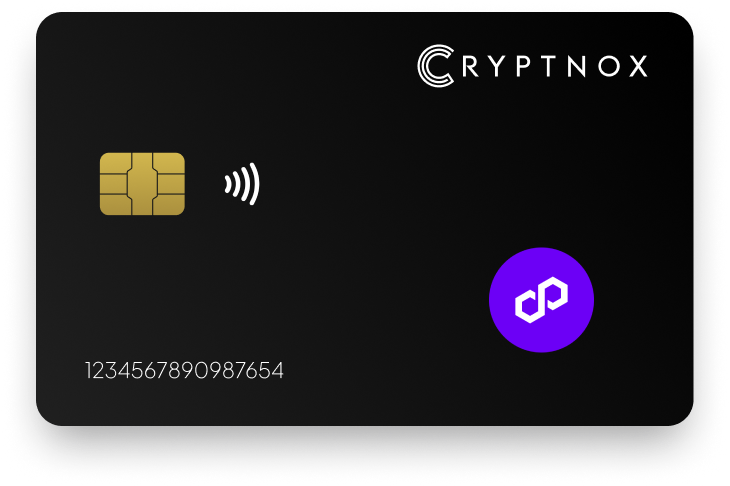
Secure Your Digital Assets with Confidence
Experience next-level protection for your digital assets with a premium hardware wallet built for security-first users
Designed around advanced encryption and a dedicated secure chip, it delivers robust offline storage while supporting a wide range of digital assets and ecosystems
The streamlined setup lets you get started in minutes, giving you access to true cold storage, reliable backup options, and full control over your assets
Engineered for performance and peace of mind, this hardware wallet is a trusted solution for anyone seeking long-term security beyond online threats
Buy it from CRYPTNOX shop directly
Accepts:

Preferred shopping solution for US:

Also available on other Amazon shops:
DE, FR, IT, BE, SE, ES, PL, NL, CA, MX, AU
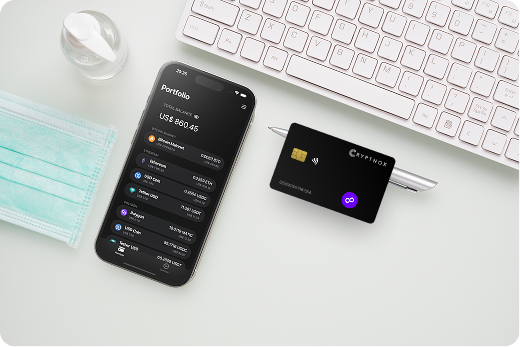
Keeps sensitive access data fully offline, protecting against online threats
Delivers a higher level of security compared to software-based solutions
Enables quick, secure actions while maintaining maximum protection
Introducing Cryptnox, the revolutionary hardware wallet designed to keep your digital assets safe, accessible, and fully under your control. Built on advanced smartcard technology, our wallets feature a secure dual-card backup system, biometric authentication, and seamless integration with MetaMask, WalletConnect, and Web3 apps. Whether you’re storing cryptocurrencies, swapping tokens, or diving into DeFi, Cryptnox delivers bank-level security without the complexity, empowering you to manage your portfolio with peace of mind.
Product Features
Product Specifications:
What It’s Built For:
Cryptnox hardware wallets are your go-to solution for:
Why Cryptnox Stands Out:
This isn’t just a wallet it’s a fortress for your digital future. With no access to your keys by Cryptnox (we never store or see them), audited firmware for top-tier reliability, and global availability, our hardware empowers beginners and experts alike. Backed by comprehensive tutorials, blogs, technical resources, and 24/7 support, Cryptnox ensures you stay ahead in the crypto world with unmatched security, simplicity, and innovation.
Cryptnox Hardware Wallets – Your Gateway to Secure, User-Friendly Crypto Management.
Ready to secure your assets? Buy a Cryptnox Hardware Wallet now and protect your crypto with ease.
# | Hardware Wallet | Description |
2 | Ledger Nano X | Flagship Bluetooth hardware wallet with CC EAL5+ secure element chip. Excellent Polygon support via Ledger Live for buying, swapping, and managing POL tokens plus MetaMask integration for DeFi and dApps. Mobile-friendly with strong security for long-term Polygon asset storage. The larger screen displays transaction details clearly for verification before signing, while wireless operation lets you manage assets from your smartphone. |
3 | Ledger Stax | Premium curved E Ink touchscreen wallet with wireless charging and CC EAL6+ chip. Stylish modern design with high customizability and seamless Polygon asset and NFT management through Ledger Live interface with clear transaction displays. The customizable display shows NFT artwork and transaction details with exceptional clarity, making it ideal for collectors. |
4 | Ledger Flex | Lightweight E Ink touchscreen model with extended battery life and portable form factor. User-friendly for Polygon transactions with clear signing interface and easy integration with Ledger Live or MetaMask for managing POL and Polygon ecosystem tokens. More affordable than Stax while maintaining clear outdoor visibility. |
5 | Trezor Safe 5 | Open-source touchscreen wallet with EAL6+ secure element and advanced backup options using SLIP39 Shamir secret sharing. Strong Polygon support via Trezor Suite or MetaMask integration, emphasizes transparency and on-device transaction verification for POL holders. Community-driven security model with verifiable firmware compared in depth through Ledger vs Trezor comparisons. |
6 | SafePal S1 | Affordable air-gapped QR-code wallet with fully offline signing capability. Supports Polygon among 100+ blockchain networks with complete isolation from internet threats. Ideal for maximum security and users seeking budget-friendly cold wallet for crypto storage for POL assets. Self-destruct mechanism protects against physical tampering. |
7 | Ellipal Titan 2.0 | Large-screen air-gapped wallet with anti-tamper self-destruct security features. Supports 10,000+ assets including Polygon tokens and NFTs via companion mobile app. Highly secure metal construction for offline Polygon asset management without connectivity risks. The 4-inch touchscreen provides excellent visibility. |
8 | Tangem Wallet | Portable NFC card-based wallet often sold in sets for redundancy and backup. Offers seedless or traditional recovery options with durable construction supporting Polygon via mobile app. Simple tap-to-sign functionality and travel-friendly design for POL holders. Extremely portable credit card form factor. |
9 | OneKey Pro | Multi-chain hardware wallet with strong native Polygon emphasis and Bluetooth/USB connectivity. Features SignGuard security technology excellent for DeFi interactions, staking operations, and cross-chain use on Polygon ecosystem with touchscreen interface. Open-source approach builds community trust. |
10 | KeepKey | Large-display hardware wallet for clear transaction verification and address confirmation. Integrates with ShapeShift platform for Polygon swaps and DeFi access with solid offline security for EVM assets including POL tokens and NFTs. The 3.12-inch screen reduces verification errors. |
11 | D’CENT Wallet | Biometric fingerprint hardware wallet with convenient secure access via fingerprint authentication. Polygon compatibility designed for everyday use and dApp interactions with wireless connectivity and mobile-friendly interface for managing POL assets. Fast biometric unlocking for frequent traders. |
12 | Keystone | Air-gapped QR-based wallet and official MetaMask hardware partner. Supports Polygon and thousands of tokens with robust multi-chain compatibility and open-source firmware elements for transparent security auditing and verification. Large touchscreen for clear QR code display. |
13 | BitBox02 | Compact Swiss-made open-source wallet with minimalist design and secure element chip. Supports Polygon via EVM-compatible third-party apps like Rabby and NuFi, focuses on verifiable security and simplicity for POL storage. MicroSD backup verification adds extra security layer. |
14 | CoolWallet Pro | Bluetooth-enabled flexible card-style wallet with slim portable form factor. Supports Polygon and many EVM chains with app-based management for on-the-go transactions, mobile-first approach for managing POL and Polygon ecosystem tokens. CC EAL6+ chip in waterproof construction. |
15 | Cypherock X1 | Innovative seedless sharded hardware wallet with EAL6+ chips and distributed key storage. Direct Polygon integration for secure, inheritance-friendly cold storage of POL and related assets with tamper-proof X1 cards for recovery. Distributed approach prevents single points of failure. |
Initialize your hardware wallet by following the manufacturer’s quick start guide. Record your recovery phrase on paper or metal backup, storing it securely in multiple physical locations separate from the device itself. Never photograph or digitally store this phrase, as doing so defeats the offline security purpose of non-custodial wallets.
Install the required companion software or browser extension. Ledger devices use Ledger Live, Trezor models connect through Trezor Suite, and mobile-focused wallets require their dedicated apps from official app stores. Verify download sources carefully to avoid fake applications that steal credentials.
Connect your device and add Polygon network settings to MetaMask or the native interface. Input the correct RPC URL, chain ID 137, and POL currency symbol. Save these settings and switch your active network to Polygon before initiating transactions on this introduction to crypto hardware wallets.
Send a minimal POL amount to your hardware wallet address first. Verify you can view the balance correctly in your chosen interface. Then practice sending a small amount back to confirm you can authorize outbound transactions with physical device approval.
Test recovery procedures on a separate device if available. This dry run ensures your backup works correctly before committing significant funds to the wallet. The low gas fees on Polygon make this testing affordable compared to Ethereum mainnet verification, and you can practice on test networks first.
Connect your hardware wallet to Aave through MetaMask on the Polygon network. Navigate to the Aave interface, select Polygon market, and choose assets to supply as collateral. Your hardware wallet prompts you to approve the token authorization, then signs the supply transaction after you physically confirm.
Borrowing requires additional authorization for the borrow transaction. Review the interest rate, health factor, and collateral requirements on your hardware wallet’s screen before approving. The device protects you from accidentally approving unfavorable loan terms or malicious contract interactions.
QuickSwap and other DEX platforms require token swap approvals before trading. Set limited approval amounts rather than infinite permissions when possible. Your external crypto wallet displays the exact token and quantity being approved, letting you verify authenticity before authorizing.
Providing liquidity to Polygon pools involves multiple transaction signatures. Your hardware wallet first approves both tokens in the trading pair, then signs the liquidity deposit transaction. Removing liquidity and claiming rewards also require device authorization, maintaining security throughout the position lifecycle.
Monitor approval transactions periodically and revoke unnecessary permissions using tools like Polygonscan token approval checkers. Your hardware wallet signs these revocation transactions, removing outdated authorizations that could pose security risks when using WalletConnect integrations.
Store your hardware wallet and backup recovery phrase in separate secure locations. Consider fireproof safes or bank safety deposit boxes for long-term holdings. Never keep both items together, as theft or disaster could compromise your entire security model for cold wallet Bitcoin and other assets.
Verify addresses character-by-character before sending significant POL amounts. Compare the address on your hardware wallet screen against your destination carefully, as malware can modify clipboard contents during copy-paste operations. This verification step prevents sending funds to attacker-controlled addresses.
Keep firmware updated through official manufacturer channels. Security patches address newly discovered vulnerabilities that could compromise older device versions. Download updates only from verified sources and verify cryptographic signatures when available to protect against supply chain attacks.
Bookmark legitimate DeFi protocol URLs and access them only through saved bookmarks. Phishing sites mimicking Aave, QuickSwap, and other platforms trick users into approving malicious contracts. Your hardware wallet provides the final defense by displaying contract addresses for verification before signing.
Enable transaction simulation features when available. Services like Tenderly show the expected outcome of smart contract interactions before execution. Review these simulations alongside your hardware wallet’s transaction display for comprehensive security validation and protection against drainer attacks.
Understand the difference between crypto exchange vs crypto wallet security models. Exchanges hold custody of your assets, while hardware wallets give you complete control through self-custody, eliminating third-party risk for your Polygon holdings.
Browser extension conflicts can prevent proper hardware wallet detection. Disable conflicting extensions like multiple MetaMask installations or other Web3 wallets when connecting your device. Run only one wallet extension at a time to avoid communication errors.
Incorrect network configuration causes transaction failures and lost gas fees. Double-check that you’ve added Polygon mainnet with the correct chain ID 137 rather than test networks like Mumbai or Goerli. Your hardware wallet may approve transactions that fail on-chain if network settings mismatch.
Firmware compatibility issues arise when older device versions lack support for newer networks or features. Update to the latest firmware before attempting Polygon transactions. Manufacturers regularly add network support and improve signing capabilities through updates.
Cable quality affects reliability for USB-connected devices. Use the manufacturer-provided cable or certified replacements with data transfer capability. Charging-only cables lack the data pins needed for wallet communication.
Driver installation on Windows systems sometimes requires manual intervention. Download official drivers from manufacturer websites if your computer fails to recognize the hardware wallet. Mac and Linux systems typically work without additional driver installation.
Consider how your hardware wallet choice integrates with existing crypto infrastructure. Users of Coinbase or Revolut should verify compatibility before transferring cryptocurrency to hardware wallets.
Polygon users often manage assets across multiple Layer 2 and EVM networks. Hardware wallets securing Polygon also protect holdings on Arbitrum One, Avalanche, Fantom Opera, and TRON through the same device and seed phrase.
This multi-chain capability proves valuable when moving liquidity between networks for optimal yield opportunities. Your hardware wallet signs bridge transactions, cross-chain swaps, and network-specific DeFi interactions while maintaining consistent security standards across all ecosystems.
Test networks like Fuji let you practice cross-chain operations without risking mainnet funds. Deploy and test smart contract interactions, verify transaction signing flows, and confirm address derivation before executing high-value operations.
Beyond POL and standard ERC-20 tokens, hardware wallets support specialized assets like XRP, Kaspa, YFI, and innovative tokens like 00 tokens. This broad compatibility makes hardware wallets suitable for diversified portfolios beyond Polygon-focused holdings.
Research AI crypto coins and emerging categories while maintaining security through hardware wallet protection. New token standards and blockchain innovations require the same cold storage principles that protect established assets.
Modern hardware wallets incorporate cutting-edge security technologies. FIDO2 authentication capabilities let devices serve dual purposes, securing cryptocurrency while providing passwordless login for exchanges and services supporting FIDO2 security keys.
Organizations using hardware wallets benefit from enterprise FIDO2 security that protects both company crypto assets and employee account access. This convergence of cryptocurrency security and corporate authentication creates comprehensive protection strategies.
Understanding passkeys and FIDO2 helps users leverage hardware wallets beyond cryptocurrency. The same secure element chip protecting POL tokens can secure logins to Google, Microsoft, Coinbase, Binance, and other platforms supporting FIDO2.
Hardware wallets implement SegWit and other optimization technologies that reduce transaction sizes and costs. Understanding these technical foundations helps users make informed decisions about wallet selection and configuration.
Protection against nonce attacks requires sophisticated cryptographic implementations. Quality hardware wallets use deterministic nonce generation and secure random number generators that prevent signature exploitation through repeated signing operations.
Advanced users can generate BIP39 seed phrases with QR codes for airgapped initialization. This approach eliminates seed phrase writing while maintaining offline security during wallet setup.
Protect your Polygon assets today with a Cryptnox hardware wallet and experience bank-grade security with the convenience of biometric authentication and seamless DeFi integration
The Cryptnox solution is a high-security hardware wallet based on the latest smartcard technology available A seed is either generated or injected as part of the initialization process, which makes it compatible with the BIP32 and BIP39 standards When choosing the Dual Card Setup option, you can generate an identical seed in two cards in only seconds, and store the backup card in a safe place for recovery
A hardware wallet is a physical device designed to securely store private keys offline Keeping sensitive data disconnected from the internet, it significantly reduces exposure to hacking, malware, and phishing attacks
Unlike software wallets that operate on internet-connected devices, hardware wallets isolate private keys in a secure environment Transactions are signed internally, ensuring keys never leave the device or are exposed online
Yes! Hardware wallets are ideal for long-term asset protection Offline storage, durable hardware, and secure backup mechanisms make them well-suited for holding assets safely over extended periods
Access can be restored using a secure recovery process, typically based on a recovery phrase or backup solution created during setup This ensures assets remain accessible even if the physical device is no longer available
Modern hardware wallets are designed with user-friendly interfaces and guided setup processes
This makes them accessible to beginners while still meeting the security standards required by advanced users