
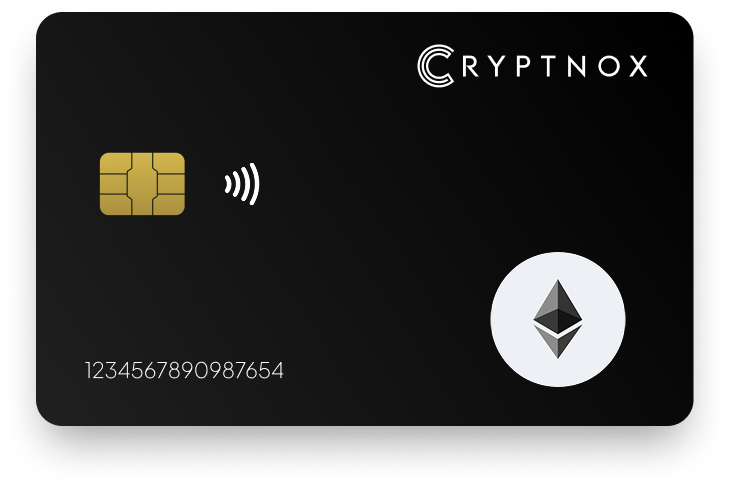
Secure Your Digital Assets with Confidence
Experience next-level protection for your digital assets with a premium hardware wallet built for security-first users
Designed around advanced encryption and a dedicated secure chip, it delivers robust offline storage while supporting a wide range of digital assets and ecosystems
The streamlined setup lets you get started in minutes, giving you access to true cold storage, reliable backup options, and full control over your assets
Engineered for performance and peace of mind, this hardware wallet is a trusted solution for anyone seeking long-term security beyond online threats
Buy it from CRYPTNOX shop directly
Accepts:

Preferred shopping solution for US:

Also available on other Amazon shops:
DE, FR, IT, BE, SE, ES, PL, NL, CA, MX, AU
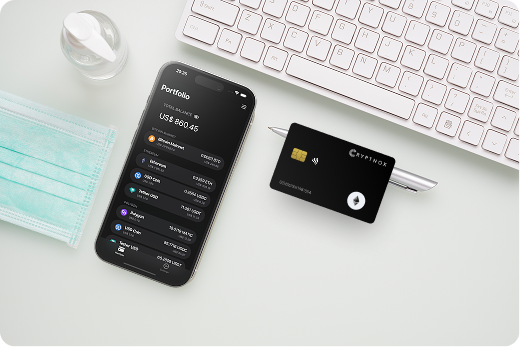
Keeps sensitive access data fully offline, protecting against online threats
Delivers a higher level of security compared to software-based solutions
Enables quick, secure actions while maintaining maximum protection
Introducing Cryptnox, the revolutionary hardware wallet designed to keep your digital assets safe, accessible, and fully under your control. Built on advanced smartcard technology, our wallets feature a secure dual-card backup system, biometric authentication, and seamless integration with MetaMask, WalletConnect, and Web3 apps. Whether you’re storing cryptocurrencies, swapping tokens, or diving into DeFi, Cryptnox delivers bank-level security without the complexity, empowering you to manage your portfolio with peace of mind.
Product Features
Product Specifications:
What It’s Built For:
Cryptnox hardware wallets are your go-to solution for:
Why Cryptnox Stands Out:
This isn’t just a wallet it’s a fortress for your digital future. With no access to your keys by Cryptnox (we never store or see them), audited firmware for top-tier reliability, and global availability, our hardware empowers beginners and experts alike. Backed by comprehensive tutorials, blogs, technical resources, and 24/7 support, Cryptnox ensures you stay ahead in the crypto world with unmatched security, simplicity, and innovation.
Cryptnox Hardware Wallets – Your Gateway to Secure, User-Friendly Crypto Management.
Ready to secure your assets? Buy a Cryptnox Hardware Wallet now and protect your crypto with ease.
Rank | Wallet Name | Description |
2 | Tangem Wallet | NFC card-style wallet eliminating seed phrases by generating keys directly on chip. Backup via additional physical cards. Waterproof construction with 25-year warranty. Supports 7,000+ coins with full ETH and ERC-20 compatibility through simple tap-to-sign. Beginner-friendly mobile app for straightforward Ethereum transactions. |
3 | Ledger Nano X | Bluetooth-enabled hardware wallet with Ledger Live app for comprehensive portfolio tracking. Secure Element chip supporting 5,500+ cryptocurrencies. Built-in battery for wireless mobile use. Established ecosystem with extensive DeFi protocol integrations and NFT management. Clear screen for transaction verification. |
4 | Ledger Flex | Modern hardware wallet with 2.84-inch E-Ink touchscreen for superior transaction readability. Built-in battery and USB-C connectivity. Includes recovery phrase card. Contemporary design with Bluetooth and wired options. Intuitive touchscreen interface speeds transaction confirmations during active trading. |
5 | Ledger Nano S Plus | Budget-friendly Ledger option with USB-C connectivity and compact design. Secure Element protection matching premium models. Supports 5,500+ cryptocurrencies. Ideal for desktop-focused users and long-term cold storage. Handles standard Ethereum operations including ERC-20 transfers and staking deposits. |
6 | Ledger Stax | Premium flagship with curved 3.7-inch E-Ink touchscreen. Wireless charging and magnetic mounting. Displays NFT artwork beautifully. Luxury build quality with customizable lock screens. Largest screen in Ledger lineup provides exceptional transaction detail visibility for complex DeFi operations. |
7 | Trezor Safe 7 | Latest premium Trezor with Bluetooth connectivity and open-source transparency. Sharp touchscreen displays detailed transaction information. Auditable secure chip with fully open-source firmware. Excellent transaction signing verification for catching malicious contracts. Established ecosystem with comprehensive Ethereum functionality. |
8 | Trezor Safe 5 | Color touchscreen with haptic feedback for satisfying interaction. EAL6+ chip certification with open-source firmware. Shamir backup capability for advanced recovery options. Balances security and usability effectively. Clear transaction displays and responsive interface for DeFi operations. |
9 | Trezor Safe 3 | Affordable open-source entry-level Trezor. Secure Element chip at budget-friendly price. Simple interface prioritizing reliability. Proven track record in Ethereum ecosystem. Focuses on core functionality: secure storage, reliable signing, and solid backup procedures. |
10 | OneKey Pro | Large 3.5-inch touchscreen for exceptional visibility. Bluetooth and USB-C connectivity with EAL6+ chip security. Encrypted passphrase protection. Supports 5,000+ cryptocurrencies. Strong NFT management with responsive modern interface. Multi-chain support for managing diverse portfolios. |
11 | NGRAVE Zero | 100% air-gapped wallet using QR codes exclusively. EAL7 chip certification (highest security level). Biometric authentication with 4-inch touchscreen. Graphene backup plates resistant to fire, water, and physical damage. Military-grade protection for substantial portfolios. |
12 | SafePal S1 Pro | Air-gapped QR-based wallet with Binance backing. Very affordable with 10,000+ coin support. Self-destruct mechanism on tampering. Great mobile integration for phone-based DeFi and NFT interactions. Includes native swap features and staking interfaces. |
13 | Keystone 3 Pro | Triple security chip architecture for redundant protection. Large touchscreen with optional fingerprint authentication. Supports 5,000+ cryptocurrencies. Excellent blind signing protection catching malicious contracts. Shows detailed contract function breakdowns for complex DeFi interactions. |
14 | BitBox02 (Multi) | Swiss-made fully open-source compact USB wallet. Touch sensors for intuitive control. Excellent privacy features. Native Ethereum and ERC-20 support. Minimalist design focusing on verifiable security. Every aspect auditable by security researchers. |
15 | D’CENT Wallet | Biometric fingerprint sensor for quick approvals. Bluetooth connectivity with compact design. Supports 3,600+ cryptocurrencies. Easy setup process for newcomers. Mobile-friendly interface with responsive customer support. Active development maintaining compatibility with evolving protocols. |
Initial setup determines your long-term security foundation, so take time to complete each step carefully. Unbox your hardware wallet in a private location without security cameras, and verify packaging seals appear intact. Compromised devices sometimes reach customers through supply chain attacks, so inspect for signs of tampering before powering on.
Seed phrase generation and backup:
Connect your hardware wallet to MetaMask by accessing the hardware wallet menu and selecting your device type. Grant public key access when prompted, then choose which wallet addresses to import into MetaMask. Most users import the first address, but you can manage multiple addresses for organizing DeFi positions and NFT collections separately.
Network configuration requires adding Ethereum Layer 2 networks to MetaMask if you plan to use Arbitrum, Optimism, or Base. Visit official network documentation to get accurate RPC endpoints and chain IDs. Add networks through MetaMask’s network menu, then switch between mainnet and Layer 2 before initiating transactions. Your hardware wallet signs for all networks through the same Ethereum app.
Test small transactions before moving substantial assets. Send a small amount of ETH to your hardware wallet address, verify it appears in MetaMask, then send it back to confirm the signing workflow functions correctly. This test run familiarizes you with how to use your hardware wallet approval process while risking minimal funds if configuration issues exist.
Swap transactions require two hardware confirmations when trading ERC-20 tokens. The first approval grants Uniswap permission to access your tokens, and the second executes the actual swap. Review the token contract address during approval to ensure you’re permitting the correct token. Set limited approval amounts for new tokens rather than unlimited approvals that persist indefinitely.
The swap transaction displays input and output token amounts, slippage tolerance, and gas fees on your hardware screen. Verify these match your Uniswap interface expectations before signing. Price impact warnings appear in both Uniswap and on your hardware device for trades that significantly move market prices. Large swaps sometimes require breaking into smaller transactions to reduce slippage and verification complexity.
Aave and Compound require multiple transaction signatures for supply and borrow operations. Supplying assets involves approving token spending, then confirming the deposit transaction that transfers tokens to lending pools. Your hardware wallet shows the lending protocol contract address and deposit amounts clearly. Verify these match official documentation before approving, as phishing sites clone legitimate interfaces convincingly.
Borrowing against supplied collateral requires additional confirmations. The hardware device displays your collateral asset, borrow amount, and resulting health factor. Review health factor carefully, as insufficient collateral leads to liquidation during market volatility. Enable stable borrow rates through hardware-confirmed transactions, then monitor positions regularly to maintain safe health factors.
Adding liquidity to Curve pools involves complex multi-step transactions that hardware wallets make safer. Each token in a liquidity pair requires individual approval, followed by the deposit transaction that combines tokens into LP positions. The hardware device verifies each approval separately, then confirms the final liquidity provision with calculated LP token amounts received.
Staking LP tokens in gauges for additional rewards requires another hardware confirmation. Review the gauge contract address against official Curve documentation, as fake gauge contracts steal staked tokens. The confirmation process feels tedious compared to hot wallets, but each verification step prevents costly mistakes that drain entire liquidity positions.
Regular permission audits prevent lingering token approvals from compromising your wallet months after initial grants. Visit approval tracking tools, connect your hardware wallet through MetaMask, and review all active permissions. Revoke unlimited approvals for protocols you no longer use, replacing them with limited approvals when you return. Each revocation requires hardware confirmation, but cleaning old permissions significantly reduces attack surface.
Address verification must happen on your hardware device screen, not just in MetaMask or exchange interfaces. Malware can alter displayed addresses in browsers and apps, but cannot change what your hardware device shows. Compare the first and last characters of addresses displayed on your device against multiple sources like blockchain explorers and official protocol documentation before signing large transactions.
Separate high-value holdings from active trading positions using multiple wallet addresses on your hardware device. Keep substantial long-term ETH holdings in one address that rarely signs transactions, while using a second address for frequent DeFi interactions. This isolation limits exposure if a DeFi protocol you interact with gets exploited. Generate additional addresses through MetaMask’s hardware wallet import process, selecting different derivation paths.
Firmware updates patch security vulnerabilities and add protocol support. Check your device manufacturer’s website monthly for new firmware versions. Download updates only from official sources, never through email links or third-party sites. The update process varies by device but typically involves connecting via USB and confirming the update on your hardware screen. Never skip firmware updates, as they often address critical security issues.
Phishing awareness remains important despite hardware protection. Bookmark legitimate DeFi protocol URLs and access them exclusively through bookmarks. Verify SSL certificates show correct domains before connecting your hardware wallet. Review smart contract addresses displayed on your device against multiple trusted sources. Hardware wallets prevent many attacks, but cannot protect against users who manually approve malicious transactions after inadequate verification.
Browser compatibility problems occasionally prevent hardware wallet connections. Chrome and Brave work most reliably with MetaMask and hardware devices, while Firefox sometimes experiences USB communication issues. Disable conflicting extensions like password managers that interfere with hardware wallet browser communications. If connection fails repeatedly, try a different browser or incognito mode to rule out extension conflicts.
Device not detected errors usually indicate driver or permission issues. Windows users may need to install device-specific drivers from manufacturer websites. Mac and Linux systems typically work without additional drivers but might require granting browser permissions to access USB devices. Reconnect your hardware wallet, restart your browser, and ensure the device firmware is current if detection fails consistently.
MetaMask displays “Ledger device locked” or similar errors when the wrong app is open on your hardware wallet. Ethereum dApp interactions require opening the Ethereum app on your device. Close any other cryptocurrency apps running on the hardware wallet, navigate to the Ethereum app, and keep it open while confirming transactions through MetaMask. Layer 2 networks like Arbitrum and Optimism use the same Ethereum app despite being different networks.
Transaction signing failures often result from insufficient gas fee settings during network congestion. MetaMask sometimes suggests gas fees too low for timely confirmation. Manually increase gas limits and priority fees before signing with your hardware wallet. Review updated fees on your device screen to ensure they match your manual adjustments. Failed transactions still consume gas, so verify settings carefully before hardware confirmation.
Network switching causes confusion when hardware wallets sign for networks that don’t match MetaMask settings. Always verify the network indicator in MetaMask matches your intended transaction chain before hardware signing. Switch networks explicitly through MetaMask’s network dropdown, wait for the interface to refresh, then initiate your transaction. Your hardware wallet signs transactions blindly for whatever network MetaMask requests, so network verification falls entirely on you.
Managing assets across Ethereum mainnet, Arbitrum, Polygon, Optimism, and other Layer 2 networks requires careful network management. Your hardware wallet stores private keys that work identically across all EVM-compatible networks, but you must configure each network in MetaMask separately before interactions.
Adding new networks involves accessing MetaMask’s network dropdown and selecting “Add network.” Input the network name, RPC URL, chain ID, currency symbol, and block explorer URL from official network documentation. Common networks include:
Hardware wallet transaction signing works identically across all networks. Your device displays transaction details including recipient address, token amount, and gas fees. The network name typically appears in MetaMask but not always on the hardware device itself, so double-check MetaMask’s network indicator before every transaction to prevent sending assets to wrong chains.
Bridging assets between networks requires extra caution. Official bridges like Arbitrum Bridge and Polygon PoS Bridge offer secure transfers, but you must verify bridge contract addresses on your hardware device before approval. Phishing sites clone bridge interfaces convincingly, routing funds to attacker wallets. The hardware device shows the actual contract receiving your funds, so compare this against official documentation from network websites.
Cross-chain transaction costs vary dramatically. Ethereum mainnet gas fees often exceed $50 during peak congestion, while Arbitrum and Polygon transactions cost under $1. Review total transaction costs on your hardware device before signing, especially when bridging between networks where bridge fees plus gas can add up significantly.
Software wallets like MetaMask offer convenience but expose private keys to internet-connected devices vulnerable to malware and remote attacks. Hardware wallets isolate keys in secure element chips that never touch the internet, preventing remote theft even if your computer is compromised. The tradeoff involves slightly slower transaction workflows since every signature requires physical device confirmation.
For Ethereum users managing substantial DeFi positions, NFT collections, or staking deposits, hardware security provides essential protection. Software wallets suit small amounts for daily spending, while hardware wallets secure long-term holdings and high-value assets. Many users combine both approaches, keeping large holdings in hardware wallets and small amounts in software wallets for convenience.
Exchange-held cryptocurrency creates counterparty risk where the exchange controls your private keys and could freeze accounts, get hacked, or face bankruptcy. Hardware wallets provide self-custody where you alone control private keys, eliminating third-party risk entirely. The responsibility shifts to you for secure key management and backup procedures.
Ethereum DeFi interactions require self-custody since decentralized protocols cannot integrate with centralized exchanges. Hardware wallets enable direct protocol interactions for yield farming, liquidity provision, and governance participation impossible with exchange custody. For users prioritizing DeFi participation and true ownership, self-custody through hardware wallets remains the only viable option.
Traditional USB hardware wallets offer larger screens and more processing power for complex transaction displays. Card-style hardware wallets like Cryptnox prioritize portability and discreet carry, fitting naturally in standard wallets. The card format appeals to users who want hardware security without carrying dedicated devices.
NFC connectivity in card wallets enables quick mobile transactions perfect for active DeFi traders. Traditional USB wallets require cables and adapters, making mobile use less convenient. Screen size represents the main tradeoff, with USB devices showing more transaction details while cards display essential information compactly. Choose based on your primary usage pattern: desktop DeFi favors USB wallets, while mobile-first trading suits card formats.
Multi-signature setups require multiple hardware wallets to approve transactions, distributing key control across devices and individuals. Ethereum smart contracts support multisig wallets through platforms like Gnosis Safe, where 2-of-3 or 3-of-5 signatures authorize transactions. This approach protects against single device compromise and enables shared treasury management for DAOs and organizations.
Inheritance planning becomes critical for substantial Ethereum holdings. Some hardware wallets support time-locked recovery mechanisms where designated beneficiaries gain access after inactivity periods. Alternative inheritance solutions include splitting seed phrases across trusted individuals using Shamir Secret Sharing, storing recovery phrases with estate attorneys, or using smart contract-based dead man switches that transfer assets automatically.
DeFi aggregators like 1inch and Paraswap compare rates across decentralized exchanges to find optimal swap prices. Hardware wallets integrate seamlessly with these platforms through MetaMask, letting you review aggregated swap routes on your device before signing. The hardware display shows input tokens, output amounts, and gas fees while the aggregator interface displays the routing path through multiple DEXes.
Complex aggregator transactions sometimes route through multiple protocols in single transactions. Your hardware wallet displays the final token amounts and gas costs but cannot show intermediate routing steps. Trust the aggregator’s interface for routing visualization while verifying final amounts on your hardware device. This workflow balances convenience with security, letting aggregators optimize pricing while hardware verification ensures correct final outcomes.
Testing DeFi strategies and smart contract interactions on testnets like Sepolia and Goerli prevents costly mainnet mistakes. Hardware wallets support testnet operations identically to mainnet, requiring MetaMask network configuration for test networks. Add testnet RPC endpoints and chain IDs, then use testnet faucets to obtain free test ETH for gas fees.
Hardware signing on testnets familiarizes you with transaction workflows before risking real assets. Practice complex DeFi operations like multi-step yield farming, NFT minting, or DAO governance on testnets first. The hardware verification process feels identical, building muscle memory for checking contract addresses, token amounts, and gas parameters. Once comfortable with testnet workflows, transition to mainnet with confidence in your verification procedures.
Secure your DeFi positions and NFT collections with Cryptnox’s premium hardware wallet designed specifically for active Ethereum users
The Cryptnox solution is a high-security hardware wallet based on the latest smartcard technology available A seed is either generated or injected as part of the initialization process, which makes it compatible with the BIP32 and BIP39 standards When choosing the Dual Card Setup option, you can generate an identical seed in two cards in only seconds, and store the backup card in a safe place for recovery
A hardware wallet is a physical device designed to securely store private keys offline Keeping sensitive data disconnected from the internet, it significantly reduces exposure to hacking, malware, and phishing attacks
Unlike software wallets that operate on internet-connected devices, hardware wallets isolate private keys in a secure environment Transactions are signed internally, ensuring keys never leave the device or are exposed online
Yes! Hardware wallets are ideal for long-term asset protection Offline storage, durable hardware, and secure backup mechanisms make them well-suited for holding assets safely over extended periods
Access can be restored using a secure recovery process, typically based on a recovery phrase or backup solution created during setup This ensures assets remain accessible even if the physical device is no longer available
Modern hardware wallets are designed with user-friendly interfaces and guided setup processes This makes them accessible to beginners while still meeting the security standards required by advanced users