Keep your account safe with a cutting-edge physical passkey
Buy it from CRYPTNOX shop directly
Accepts:
Now that bank fraudsters are becoming more sophisticated with their methods, securing your Bank of America is more important than ever.
With our FIDO2 Security Key, you have an additional layer of protection against phishing attacks, identity theft and unauthorised access to your account. Keep your Bank of America account safer with our innovative solutions and enjoy a more secured authentication.
Backed by the FIDO (Fast IDentity Online) Alliance, a Security Key Card safeguards your Bank of America account with a cryptographic implementation, which ensures a more reliable way of authentication.
Compared to traditional password-based systems, a security key card cannot be tempered or exposed.
No one wants to become a victim of an account takeover and other bank frauds.
Most times, passwords can leave you vulnerable to these cybercriminal elements. This is because they can be hacked or phished.
Research has shown that more than 61% of data breaches occurred due to compromised credentials.
Our FIDO security key is a stronger alternative to passwords because it offers more seamless and secure access to your bank account.
All you have to do is simply sign in with your security key, without resorting to a username and password.
Our FIDO2 security key offers an additional layer of security to safeguard your Bank of America account against all forms of phishing attacks, brute force attacks and other cybercrimes. You can be confident that your money transfer is highly secured.
Registering your security key is simple and fast. It is also a more convenient alternative to SMS-based one-time passwords, particularly if your mobile device can’t receive SMS or can’t have a phone number outside the US.
Whether on your smartphone or personal computer, you can easily use your FIDO2 security key seamlessly. You can rely on our innovative solution to work with all your devices, browsers and applications.
Our FIDO security keys are designed to resist phishing and won’t leave you vulnerable to cybercrime. Reduce your reliance on passwords with our security key. This is one of the most secure ways to add authentication to your Bank of America account.
Bank of America Security Key Setup
It is very easy to set up your Security key for your Bank of America account. The steps below will guide you in securing your bank account :
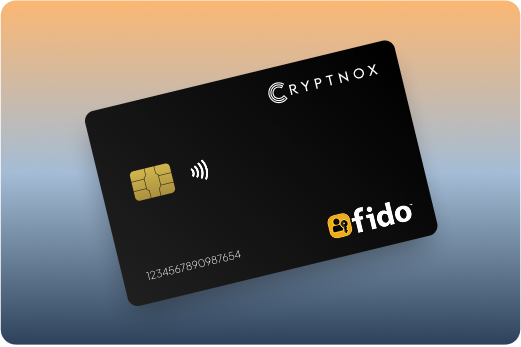
Introducing Cryptnox FIDO2 Security Key, the cutting-edge hardware authenticator designed to eliminate passwords and protect your digital accounts with bank-level security. Built on advanced smartcard technology with NFC-enabled connectivity, our FIDO2 Level 1 certified card delivers seamless passwordless authentication for platforms like Microsoft 365, Apple ID, and Google Workspace. With no software installation required and plug-and-play functionality, Cryptnox FIDO2 works effortlessly with mobile phones, computers, and smartcard readers, empowering businesses and individuals with phishing-resistant, two-factor authentication that’s both secure and convenient.
Product Features
Product Specifications:
What It’s Built For:
Cryptnox FIDO2 Security Keys are your ultimate solution for:
Platform Compatibility:
Cryptnox FIDO2 Security Keys work seamlessly with major platforms:
Why Cryptnox Stands Out:
This isn’t just a security key, it’s your shield against modern cyber threats. With FIDO2 Level 1 certification and EAL6+ compliance, Cryptnox delivers military-grade protection that’s accessible to everyone. Unlike password-based systems, our hardware authenticator keeps your private keys secure on the device itself, never exposing them to servers or networks. The plug-and-play design means no technical expertise required, just tap or insert and authenticate. Backed by comprehensive tutorials on how to use your FIDO2 smartcard, global availability across major marketplaces, and multi-functionality through MIFARE DESFire EV2 technology, Cryptnox ensures you stay ahead of cyber criminals with unmatched security, convenience, and reliability.
The Rise of FIDO2 in Enterprise Security:
Organizations worldwide are adopting FIDO2 cards for enterprise security, recognizing the need for passwordless authentication in remote workforces. Understanding the differences between FIDO2 vs FIDO U2F helps you make informed decisions about your security infrastructure.
Cryptnox Hardware Wallet Integration:
Looking for complete crypto security? Combine your FIDO2 security key with our hardware wallets for cryptocurrency. Learn about what hardware wallets are, how to use hardware wallets, and explore our introduction to crypto hardware wallets.
Additional Security Resources:
Cryptnox FIDO2 Security Key – Your Gateway to Passwordless, Phishing-Resistant Authentication.
Ready to eliminate passwords forever? Buy a Cryptnox FIDO2 Security Key now and secure your accounts with cutting-edge authentication technology. Need guidance?
Security Key Card | Description |
HID Global – Crescendo C2300 | Hybrid ID-1 smart card combining FIDO2 with PKI and smart card capabilities plus optional physical access control (PACS). Enterprise-grade durability ideal for users requiring converged credentials with Bank of America web authentication and business banking access. |
Thales – SafeNet IDPrime FIDO Bio | Fingerprint biometric card with on-card matching technology plus FIDO2 and PKI support. High-assurance authentication option for secure banking transactions. NFC-enabled for convenient mobile Bank of America app usage on iOS and Android devices. |
Thales – SafeNet IDPrime 3930/3940 FIDO | Robust Java Card platform with strong FIDO2 applet implementation. Excellent choice for high-security banking environments requiring hybrid logical access alongside Bank of America authentication for wealth management and business accounts. |
FEITIAN – Biometric FIDO2 Fingerprint Card | On-card fingerprint sensor enabling touch-based authentication verification. NFC support provides reliable passwordless login for Bank of America mobile and desktop banking. Good balance of security convenience for daily banking access. |
Token2 – PIN+ NFC Card | Credit card format with PIN protection layer, FIDO2.1 protocol support, and both NFC and contact interfaces. Affordable and user-friendly with explicit Bank of America setup compatibility guides available on Token2 website for easy registration. |
Token2 – T2F2-NFC Card / Slim variants | Compact FIDO2 card options with strong protocol support across authentication scenarios. Versatile for both desktop and mobile Bank of America banking authentication with documented setup procedures available from manufacturer. |
ACS – FIDO2 Authenticator Card | Certified FIDO2 NFC smart card offering solid performance. Cost-effective choice for web services including banking applications. Works via card readers or NFC tap for Bank of America online and mobile authentication. |
Identiv – uTrust FIDO2 Smart Card | Secure NFC FIDO2 card specifically focused on phishing resistance for financial accounts. Reliable option for everyday Bank of America usage across multiple platforms including Windows, Mac, iOS and Android devices. |
AuthenTrend – ATKey.Card FIDO2 | Wallet-friendly FIDO2 security card emphasizing biometric options or strong key storage. Convenient banking security solution for personal checking, savings and credit card account protection with Bank of America services. |
Zwipe – Biometric FIDO2 Card | Fingerprint-enabled smart card providing seamless on-card biometric verification without external sensors. Strong choice for passwordless experiences with Bank of America online banking and high-value transaction approval workflows. |
Badgeo – NFC FIDO2 Card | Simple contactless NFC smart card designed for web and cloud authentication services. Easy tap-to-authenticate functionality for mobile Bank of America banking app usage on smartphones with NFC capability. |
SmartDisplayer – FIDO2 Smart Card | Card form factor with potential visual OTP and display features alongside FIDO2 authentication. Useful for users wanting extra verification layers for Bank of America wire transfers and bill payment authorization. |
TrustSec – FIDO2 Security Smart Card | Enterprise-grade cards from various providers offering hybrid capabilities. Scalable and secure options for Bank of America users in professional banking settings requiring business account and merchant services protection. |
FIDO2 represents a fundamental shift in how Bank of America customers protect their accounts. Unlike passwords that you know or SMS codes sent to your phone, FIDO2 authentication relies on cryptographic keys stored in dedicated hardware that never leave your security card.
Traditional authentication methods remain vulnerable to sophisticated attacks. Over 61% of data breaches stem from compromised credentials. Passwords can be guessed through brute force attacks, stolen from data breaches or extracted via keyloggers. SMS-based two-factor authentication faces SIM swap attacks, where criminals hijack your phone number to intercept verification codes.
Financial institutions experience 41% more phishing attempts year-over-year compared to other industries. Attackers target banking customers because successful account compromises provide direct access to money and high-value transaction capabilities.
Account takeover attempts against financial services increased 34% in 2025. Criminals create convincing replicas of Bank of America login pages, sending phishing emails about “suspicious activity” or “required security updates.” Victims who enter credentials on fake sites unknowingly hand over account access.
Business email compromise (BEC) attacks specifically target business banking customers. Attackers impersonate executives or vendors, requesting urgent wire transfers to fraudulent accounts. These attacks cost businesses billions annually, with individual incidents exceeding hundreds of thousands of dollars in losses.
FIDO2 security keys defeat phishing through cryptographic origin validation. When you register your card with Bank of America, it creates a unique key pair specifically bound to bankofamerica.com’s authentic domain. The private key stays locked inside your card’s secure chip and can never be extracted.
During login, Bank of America’s server sends a challenge to your security key. Your card’s chip signs this challenge with the private key, but only if the website domain matches exactly. Phishing sites using fake domains like “bankofamerica-secure.com” or “bofa-login.com” fail this cryptographic check. Your card simply won’t respond, making credential theft impossible even if you’re fooled by a convincing fake website.
Public key cryptography enables this protection. The bank stores your card’s public key, which can only verify signatures created by the matching private key. Attackers who steal the public key from Bank of America’s servers gain nothing, they can’t use it to forge authentication without the private key secured in your physical card.
SIM swap attacks become irrelevant with FIDO2 hardware keys. These attacks involve criminals convincing your mobile carrier to transfer your phone number to a device they control. SMS-based codes then route to the attacker. Security key cards aren’t tied to phone numbers, eliminating this entire attack surface.
MFA fatigue attacks exploit push notification systems by bombarding users with approval requests. MFA bypass attempts increased 218% in 2025. FIDO2 cards require deliberate physical interaction, tapping your card or inserting it into a reader, making automated harassment attacks impossible.
Man-in-the-middle attacks fail against FIDO2 authentication. Even if an attacker intercepts the communication between your browser and Bank of America’s server, they can’t replay or modify the cryptographic signatures your card generates. Each authentication creates a unique signature that works only for that specific login session.
Dedicated security chips in cards like Cryptnox resist physical tampering attempts. EAL6+ certified chips undergo extensive testing against side-channel attacks, power analysis and other sophisticated extraction techniques. Software authenticators stored on phones or computers face malware risks that can compromise stored keys.
Regulatory compliance increasingly favors hardware authentication. Financial regulators recognize phishing-resistant authentication as a security best practice for protecting customer accounts and preventing fraud. Bank of America’s support for FIDO2 security keys demonstrates its commitment to industry-leading security standards.
Only 17% of organizations currently implement phishing-resistant authentication, giving early adopters significant security advantages. As banking fraud continues evolving, hardware security keys represent the most reliable defense for protecting checking accounts, savings, credit cards, investment accounts and business banking relationships.
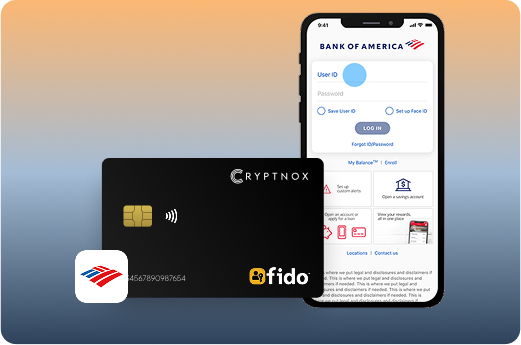
Registering a FIDO2 security key card with your Bank of America account takes just a few minutes through the Security Center. The process works identically whether you’re setting up personal banking access or business account authentication.
Begin by logging into your Bank of America account using your current username and password. Navigate to the Security Center section, typically accessible from the main menu or your account settings. Bank of America organizes security features in this centralized location.
Under the Security Center, locate “Set up Two-Factor Authentication”. If you haven’t previously enabled two-factor authentication, you’ll need to activate this feature for your account first. Bank of America requires basic 2FA before allowing security key registration.
Scroll to the bottom of the page to find the “Increase your Device Security” section. Click the “Review” link next to “Additional Security Features”. This reveals the security key registration option.
Select “Add a security key” from the available options. Bank of America will prompt you to prepare your FIDO2 card for registration. For NFC cards, have your smartphone ready with NFC enabled. For contact cards, insert the card into a USB card reader connected to your computer.
Click “Next” to begin the registration flow. Bank of America’s system will communicate with your security key card through your browser. Modern browsers, including Chrome, Safari, Firefox and Edge support WebAuthn natively without requiring plugins.
Follow the on-screen prompts which typically involve:
Bank of America’s system creates a unique cryptographic key pair specific to your account. The process completes in seconds once your card responds to the authentication challenge.
Test your security key immediately before relying on it for account access. Log out of Bank of America and attempt to log back in using your new security key. Verify the authentication works smoothly on both desktop and mobile devices if you use Bank of America across platforms.
Register a backup security key as your next critical step. Purchase a second FIDO2 card and add it to your Bank of America account using the same process. Store this backup card in a separate secure location, not in the same wallet as your primary card.
Many users keep their backup card in a home safe, locked desk drawer or with trusted family members. Account lockout from a single lost card can delay access to urgent banking needs including bill payments, wire transfers or time-sensitive transactions.
Bank of America mobile app authentication on iOS and Android devices works via NFC tap. After registering your card through the web interface, the mobile app automatically recognizes your security key. When logging in, simply hold your card near your phone when prompted.
Desktop online banking requires either NFC-enabled computers (available on some modern laptops) or USB card readers for contact-based cards. Windows 10/11, macOS and Linux all support FIDO2 through their native USB and NFC stacks.
Browser compatibility remains consistent across platforms. Chrome, Edge, Safari and Firefox all implement the WebAuthn standard. You don’t need to install browser extensions or additional software, your security key card works immediately.
Token2 provides detailed Bank of America setup guides on their website, offering step-by-step screenshots and troubleshooting tips. These guides specifically address Token2 FIDO2 cards but the process applies to all FIDO2-certified cards including Cryptnox, HID, Thales and others.
The Token2 documentation includes:
“Security key not detected” errors typically indicate:
Registration failures may occur if:
Multiple account management works seamlessly. Register your security key separately for each Bank of America account you control, personal checking, savings, credit cards, business banking and investment accounts. One card can authenticate across all profiles without interference.
FIDO2 security key cards protect the full range of Bank of America banking services once registered. Authentication requirements vary based on the sensitivity of the action you’re performing, with high-value transactions triggering additional verification prompts.
Online banking dashboard access represents the most common use case. When visiting bankofamerica.com and clicking “Sign In,” enter your username as usual. Bank of America then prompts for authentication, tap your NFC security key against your phone or present your contact card to a reader instead of entering a password.
Bank of America mobile app logins work identically on iOS and Android devices equipped with NFC. Launch the app, enter your username, then hold your security card against the back of your phone when prompted. Authentication completes in under two seconds without typing passwords or waiting for SMS codes.
Wire transfer authentication provides critical protection against fraud. Business email compromise attacks often target wire transfer capabilities, making hardware authentication essential for high-value movements. Bank of America requires security key verification before processing outbound wires.
When initiating a wire transfer:
This workflow prevents attackers who compromise your credentials from executing unauthorized transfers. They’d need physical possession of your security key card, a much higher bar than phishing credentials alone.
Bill pay transaction security applies similar authentication. Regular payees you’ve previously authorized may process without additional verification, but adding new payees or modifying payment amounts typically trigger security key prompts. This protects against account takeover scenarios where criminals attempt to redirect funds.
Zelle payment protection matters for peer-to-peer transfers. Zelle’s instant transfer nature makes these payments attractive targets for social engineering attacks. Security key verification ensures you’re personally approving each Zelle transaction, preventing compromised devices from initiating unauthorized payments.
Credit card account management benefits from security key protection. Changing credit limits, adding authorized users, updating automatic payments or modifying rewards redemption settings all become phishing-resistant operations. Attackers can’t modify your credit card terms without your physical card.
Investment and Merrill Edge account access receives the same security key authentication. Bank of America’s integration with Merrill Edge for investment services means your security key protects brokerage accounts, retirement accounts, and wealth management access through a single registration.
Business banking and merchant services rely heavily on security keys for multi-user account structures. Business owners can require all authorized signers and account administrators to register individual security keys. This creates an audit trail of who approved specific transactions while preventing single-point-of-failure credential compromises.
Mobile check deposit authentication verifies your identity before accepting deposited checks. While basic mobile deposits may use biometric authentication, security keys provide additional verification for large deposit amounts or when depositing checks from new sources.
Account settings and profile management security prevents unauthorized changes to contact information, mailing addresses or communication preferences. Attackers often modify these details to intercept statements or reroute notifications. Security key requirements block these account manipulation attempts.
Beneficiary and payee management protection proves especially important for estate planning and trust accounts. Modifying beneficiaries or adding authorized payees to your account requires security key authentication, ensuring only you can make these sensitive changes that affect inheritance and access rights.
Customer service secure messaging through Bank of America’s internal messaging system can require security key authentication for viewing messages about account alerts, fraud investigations or sensitive account information. This prevents attackers from accessing private financial communications.
Backup authentication methods should remain available for emergency situations. While security keys provide superior protection, Bank of America allows you to maintain alternative authentication methods for scenarios where you don’t have card access.
Keep your backup security key in a secure location separate from your primary card. If traveling internationally or in situations where losing your primary card is risky, knowing you have backup access prevents potential account lockout during urgent financial needs.
Joint account holders should each register their own security keys rather than sharing a single card. This maintains individual accountability for account actions while preserving the security benefits of hardware authentication for both parties.
Credit card form factor security keys offer specific advantages for banking customers beyond standard USB keys. The familiar shape and size means they integrate seamlessly into existing wallet routines, increasing the likelihood you’ll actually carry and use your authentication hardware.
Wallet portability addresses the primary friction point in hardware key adoption. USB security keys often get left at home, in desk drawers or on keychains separate from your daily carry. Card-sized keys fit in standard card slots right next to your Bank of America debit card, ensuring you always have authentication access when needed.
Many users report carrying their security key cards in the same wallet slot as their driver’s license or primary credit card. This placement creates a mental association between banking access and the card’s location, reducing the risk of forgetting your authentication method when accessing accounts.
Fingerprint authentication cards combine hardware security with biometric convenience. The Thales SafeNet IDPrime FIDO Bio, FEITIAN Biometric card and Zwipe cards all feature embedded fingerprint sensors directly on the card surface.
Match-on-card fingerprint verification performs all biometric processing within the card’s secure chip. Your fingerprint template never leaves the hardware, eliminating central biometric databases that could be breached. When authenticating with Bank of America:
This architecture provides stronger privacy than smartphone biometrics while maintaining comparable speed. Authentication completes in under two seconds from finger placement to Bank of America login approval.
Biometric cards suit specific banking scenarios particularly well:
Token2 PIN+ NFC Card adds a different security layer through PIN requirements before authentication. This approach suits users concerned about lost or stolen cards. Even if someone finds your card, they can’t use it without knowing your PIN.
PIN protection creates a two-factor authentication within the hardware itself, something you have (the card) plus something you know (the PIN). This matters particularly for business banking scenarios where cards might be stored in shared office spaces or carried in environments with higher loss risk.
The Token2 PIN+ card’s Bank of America compatibility is explicitly documented with setup guides, making it a reliable choice for first-time security key users who want clear implementation instructions.
HID Global Crescendo C2300 and Thales SafeNet IDPrime 3930/3940 represent enterprise-grade solutions combining FIDO2 with additional capabilities. These hybrid smart cards integrate:
Enterprise cards suit business banking customers managing complex security requirements beyond banking alone. A single card authenticates Bank of America business accounts, unlocks office doors, signs digital contracts and encrypts sensitive financial communications.
The Java Card platform used in Thales IDPrime 3930/3940 cards allows organizations to customize card functionality through downloadable applets. This flexibility supports evolving security requirements as businesses grow or compliance needs change.
Token2 T2F2-NFC variants, ACS FIDO2 Authenticator Card and Identiv uTrust cards provide strong FIDO2 authentication at consumer-friendly price points. These cards lack biometric sensors or enterprise PKI features but deliver the core benefit, phishing-resistant authentication for Bank of America accounts.
For personal banking customers protecting checking accounts, savings and credit cards, these affordable options offer excellent security-to-cost ratios. The FIDO2 protocol implementation remains equally strong regardless of price point, as all cards must pass FIDO Alliance certification testing.
AuthenTrend ATKey.Card and Badgeo NFC cards similarly focus on straightforward FIDO2 functionality in credit card form factors. These cards work identically to premium options for basic authentication needs, with differences appearing primarily in durability, biometric features and enterprise management capabilities.
SmartDisplayer FIDO2 Smart Card incorporates display capabilities alongside authentication. The on-card screen can show one-time passwords, transaction details or verification codes. This hybrid approach suits users who want visual confirmation of authentication events or prefer seeing transaction details before approval.
Display-equipped cards particularly benefit wire transfer scenarios where users want to verify recipient details and amounts on the card itself before cryptographically signing the transaction. This adds a verification layer beyond Bank of America’s web interface.
TrustSec enterprise cards from various providers offer scalable deployment options for businesses issuing security keys to multiple employees. Bulk ordering, centralized management and integration with enterprise identity systems make these appropriate for large organizations implementing security keys across business banking relationships.
Regardless of card type, maintain proper backup storage. Store your primary and backup cards separately:
Document which cards authenticate which Bank of America accounts, especially if managing multiple personal and business banking relationships. Simple spreadsheet tracking prevents confusion when you need to use backup cards after primary card loss.
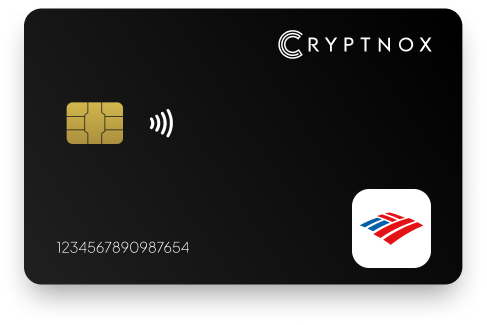
Secure your Bank of America accounts with Cryptnox’s credit card-sized FIDO2 security key for phishing-resistant protection.
The Cryptnox security key is a hardware-based authenticator that offers an extra layer of security for your Bank of America account. It is backed by the FIDO2 open authentication standard.
Our security key safeguards against fraudsters and other cyber criminals who may want to attempt malicious activity on your bank account such as identity theft, phishing, data breach or fraud. It offers a higher level of security compared to push notifications and SMS.
The security key has a Level 1 certification, and the secure chip used features a Common Criteria EAL6+ certification. This implies it conforms to the highest-security standards and offers lasting security against all type of online threats.
FIDO2 is usually seen as a more secure alternative to traditional two-factor authentication methods such as SMS or email codes since it utilizes localized data storage and encryption, lowering the risk of remote attacks.
With a security key, you can enjoy improved online security through the use of password-free authentication. This lowers the risk of phishing and identity theft. It utilises cryptographic keys to better secure your login.
Our security key is highly compatible with major browsers and operating systems that support FIDO2 protocol. This includes recent versions of Chrome, Firefox, Edge, and Safari on platforms like Windows and MacOS.
The security key offers an additional layer of security to your Coinbase password, not to replace it.
You can still access your account and remove the misplaced security key from your account.
Setting up your Security key for your Coinbase account is very simple. The steps below will guide you in securing your account :
Yes, FIDO2 security cards work across hundreds of services beyond Bank of America. You can use the same card to protect Google accounts, Microsoft accounts, Coinbase, Dropbox, Shopify, and many other platforms. The card creates separate cryptographic credentials for each service, so one compromised account doesn’t affect others. This versatility makes FIDO2 cards excellent investments; one card secures your entire digital life including banking, email, cloud storage, cryptocurrency exchanges and e-commerce platforms. The same phishing-resistant security principles that protect your Bank of America accounts apply equally to all FIDO2-enabled services.