
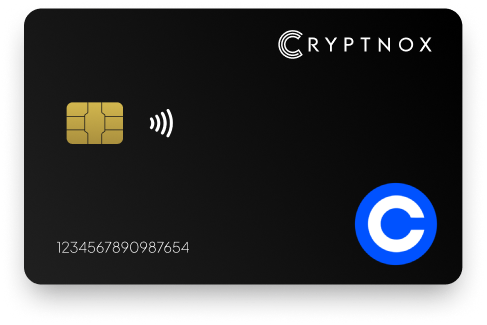
Keep your account safe with a cutting-edge physical passkey
Buy it from CRYPTNOX shop directly
Accepts:

Preferred shopping solution for US:

Also available on other Amazon shops:
DE, FR, IT, BE, SE, ES, PL, NL, CA, MX, AU
As fraudsters become more sophisticated, securing your Coinbase account has never been more critical.
Enhance your protection with our FIDO2 Security Key, offering an extra layer of defense against phishing, identity theft, and unauthorized access. Safeguard your account with our cutting-edge solutions and experience more secure authentication.

Supported by the FIDO (Fast IDentity Online) Alliance, the Security Key Card secures your Coinbase account with advanced cryptographic technology, providing a more reliable authentication method.
Unlike traditional password-based systems, the Security Key Card is resistant to tampering and exposure, ensuring strong protection for your account.
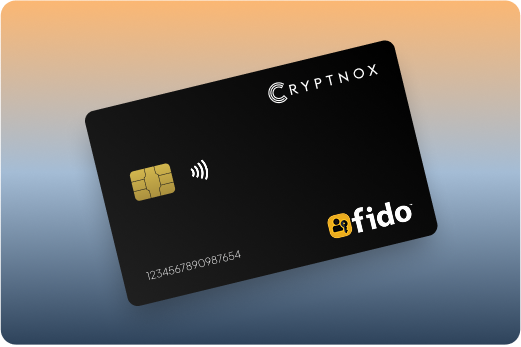
Nobody wants to fall victim to account takeovers or financial fraud.
Passwords can leave you exposed, as they are vulnerable to hacking and phishing. In fact, research shows that over 61% of data breaches are caused by compromised credentials.
Our FIDO Security Key offers a stronger, more secure alternative to passwords, providing seamless access to your Coinbase account. Simply sign in using your Security Key—no need for a username or password.
Protect your Coinbase account with our FIDO2 Security Key, adding an extra layer of security against phishing, brute force attacks, and other cyber threats. Enjoy peace of mind knowing your transactions are highly secure.
Setting up your Security Key is quick and easy. It’s also a more convenient alternative to SMS-based one-time passwords, especially if your device can’t receive SMS or you’re located outside supported regions.
Whether you’re on a smartphone or personal computer, our FIDO2 Security Key works seamlessly across devices, browsers, and applications. Trust this innovative solution to keep your account secure wherever you go.

Our FIDO Security Keys are designed to resist phishing and protect your Coinbase account from cybercrime. Reduce your reliance on passwords with this highly secure authentication method, ensuring your account remains safe at all times.
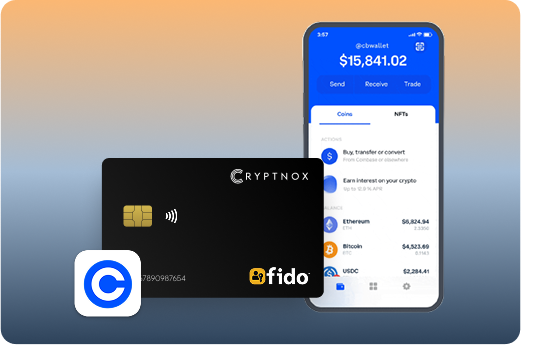
Coinbase Security Key Setup
Setting up your FIDO2 Security Key for your Coinbase account is quick and straightforward. Follow these simple steps to secure your account:
Introducing Cryptnox FIDO2 Security Key, the cutting-edge hardware authenticator designed to eliminate passwords and protect your digital accounts with bank-level security. Built on advanced smartcard technology with NFC-enabled connectivity, our FIDO2 Level 1 certified card delivers seamless passwordless authentication for platforms like Microsoft 365, Apple ID, and Google Workspace. With no software installation required and plug-and-play functionality, Cryptnox FIDO2 works effortlessly with mobile phones, computers, and smartcard readers, empowering businesses and individuals with phishing-resistant, two-factor authentication that’s both secure and convenient.
Product Features
Product Specifications:
What It’s Built For:
Cryptnox FIDO2 Security Keys are your ultimate solution for:
Platform Compatibility:
Cryptnox FIDO2 Security Keys work seamlessly with major platforms:
Why Cryptnox Stands Out:
This isn’t just a security key, it’s your shield against modern cyber threats. With FIDO2 Level 1 certification and EAL6+ compliance, Cryptnox delivers military-grade protection that’s accessible to everyone. Unlike password-based systems, our hardware authenticator keeps your private keys secure on the device itself, never exposing them to servers or networks. The plug-and-play design means no technical expertise required, just tap or insert and authenticate. Backed by comprehensive tutorials on how to use your FIDO2 smartcard, global availability across major marketplaces, and multi-functionality through MIFARE DESFire EV2 technology, Cryptnox ensures you stay ahead of cyber criminals with unmatched security, convenience, and reliability.
The Rise of FIDO2 in Enterprise Security:
Organizations worldwide are adopting FIDO2 cards for enterprise security, recognizing the need for passwordless authentication in remote workforces. Understanding the differences between FIDO2 vs FIDO U2F helps you make informed decisions about your security infrastructure.
Cryptnox Hardware Wallet Integration:
Looking for complete crypto security? Combine your FIDO2 security key with our hardware wallets for cryptocurrency. Learn about what hardware wallets are, how to use hardware wallets, and explore our introduction to crypto hardware wallets.
Additional Security Resources:
Cryptnox FIDO2 Security Key – Your Gateway to Passwordless, Phishing-Resistant Authentication.
Ready to eliminate passwords forever? Buy a Cryptnox FIDO2 Security Key now and secure your accounts with cutting-edge authentication technology. Need guidance?
Security Key | Description |
Yubico Security Key C NFC | PCMag top pick; affordable USB-C + NFC key storing up to 100 passkeys. Excellent build quality and ease of use. Budget-friendly FIDO2 choice for Coinbase 2FA and crypto exchange protection. |
Yubico YubiKey 5C NFC | Premium multi-protocol FIDO2 key (USB-C + NFC) supporting passkeys, OTP, PIV, and more. High capacity and IP68 durability. Upgrade pick for advanced crypto traders needing multiple authentication protocols. |
Yubico YubiKey C Bio / Bio FIDO Edition | Biometric fingerprint FIDO2 key (USB-C or A) with touch-based verification for passwordless MFA. Premium secure option for high-value crypto portfolios requiring biometric protection. |
HID Global Crescendo C2300 | Enterprise dual-interface FIDO2 smart card (contact + contactless) supporting PKI and physical access convergence. Robust for high-security institutional Coinbase account protection and corporate crypto management. |
Thetis Pro FIDO2 | Versatile FIDO2 key with USB-A/C + NFC options and rotating protective cover. Strong value and connectivity. Frequently recommended in 2025–2026 security key shootouts for crypto users. |
Google Titan Security Key | Reliable FIDO2 key (USB-A/C + NFC variants) storing up to 250 passkeys. Seamless broad compatibility including Coinbase, Gmail, and Google services. Great for users with many crypto and cloud accounts. |
Nitrokey 3 NFC | Open-source FIDO2 key with secure element and password manager features. Strong privacy-focused alternative for crypto investors prioritizing transparent security and code auditability. |
Kensington VeriMark Gen2 | Biometric fingerprint FIDO2 key with anti-spoofing technology. Good for Windows Hello and general account protection including Coinbase authentication with fingerprint verification. |
Token2 T2F2 Series (Dual PIN+Octo) | Budget FIDO2.1 keys with high credential storage capacity. Various compact form factors. Solid performer in value tests for cost-conscious crypto investors protecting exchange accounts. |
TrustKey T110 / T120 | Inexpensive, reliable FIDO2 security keys praised as budget-friendly options in 2025 security key shootouts. Good entry-level hardware authentication for Coinbase beginners. |
GoTrust Idem Key / Idem Card | IP68 waterproof FIDO2 (Level 2 certified) with USB/NFC and credit-card variants. Durable and phishing-resistant for crypto investors in demanding environments or frequent travelers. |
SoloKeys Solo 2 / SoloTap | Open-source, community-driven FIDO2 keys. Customizable and transparent for security-conscious crypto users who value auditable firmware and community-verified security implementations. |
FEITIAN ePass FIDO2 Series | Established versatile FIDO2 authenticators (NFC and other form factors). Reliable compatibility across services like Coinbase with proven track record in enterprise authentication. |
FIDO2 authentication fundamentally changes how you protect your Coinbase account from the phishing attacks that compromise traditional 2FA methods. Unlike SMS codes or Google Authenticator tokens, FIDO2 uses public key cryptography where your private key never leaves the security card. This architecture makes phishing functionally impossible because the authentication credential is cryptographically bound to Coinbase’s legitimate domain.
Crypto exchange accounts are prime phishing targets because attackers know successful breaches yield immediate financial gain through unauthorized withdrawals. Phishing attacks were responsible for 48% of crypto exchange breaches in 2025, with fake Coinbase sites and credential-stealing emails driving most stolen funds. Traditional authenticator apps fail against sophisticated phishing frameworks that relay codes in real-time to legitimate sites.
FIDO2 security advantages for crypto protection:
Hardware security keys provide protection that software authenticators fundamentally can’t deliver. When you use a FIDO2 security card for Coinbase, the browser verifies the site’s domain before allowing authentication. If you accidentally visit a fake phishing site mimicking Coinbase, your security card refuses to authenticate because the domain doesn’t match, alerting you to the threat.
SIM swap attacks have become one of the most damaging forms of crypto theft in 2026, targeting wireless carrier security failures to hijack phone numbers and bypass SMS 2FA. FIDO2 hardware keys eliminate this vulnerability entirely by removing phone number dependency from your authentication process. Your Coinbase withdrawals and wallet access remain secure even if attackers successfully swap your SIM card.
Understanding the difference between FIDO2 and older U2F keys helps you make informed decisions about upgrading your crypto exchange security infrastructure.
Registering a security key card with your Coinbase account takes under five minutes using the platform’s built-in passkey settings. Start by logging into your Coinbase account and navigating to the profile icon, then select Security settings from the account management menu. Locate the Two-Step Verification or 2FA Settings section and choose the Passkey or Security Key option to begin registration.
Step-by-step Coinbase security key registration:
NFC tap setup for the Coinbase mobile app follows a similar workflow on iOS and Android devices. Enable Bluetooth and NFC in your phone settings before starting the passkey registration process. When prompted to authenticate, hold your security card against the back of your smartphone near the NFC antenna. Most phones provide haptic feedback when reading is successful.
Card reader setup for desktop web trading requires compatible hardware for contact-based authentication. ISO 14443-compatible contactless readers work with NFC cards, while ISO 7816 contact readers handle chip-based authentication. Verify your reader compatibility before purchasing if you plan to use desktop authentication frequently.
Critical setup considerations:
Troubleshooting common registration issues starts with verifying your card reader connection and drivers. If NFC authentication fails, ensure your card is positioned correctly over the reader with no metal objects interfering. Contact reader failures often indicate outdated smart card drivers that need updating through your operating system.
Managing both Coinbase and Coinbase Pro with one security card works seamlessly since both platforms share authentication infrastructure. After registering your FIDO2 card on your main Coinbase account, the same security key automatically protects Coinbase Pro and Coinbase Advanced Trade access.
Your FIDO2 security card protects access across all Coinbase products and services once registered. Authentication workflows vary slightly between web platform trading and mobile app usage, but both require physical card presence to approve sensitive operations. The Coinbase web platform prompts for security key authentication during login and withdrawal authorization, while the mobile app uses NFC tap verification.
Coinbase service authentication coverage:
Withdrawal authorization provides the most critical protection layer for crypto investors since unauthorized withdrawals cause permanent, irreversible loss. When you initiate a withdrawal from your Coinbase account, the platform requires security key authentication to approve the transaction. Attackers who compromise your password still can’t drain your account without physical access to your security card.
Coinbase Wallet connection security differs from exchange account protection because the wallet operates as a self-custody solution. While your FIDO2 card secures Coinbase exchange login, wallet private keys require separate security measures like hardware wallet integration. Use your security card to protect the Coinbase account that manages wallet connections, not the wallet’s internal private key storage.
Emergency access considerations become critical when traveling or in situations where you might lose your primary security card. Coinbase allows multiple authentication methods registered simultaneously, so you should configure at least one backup authentication option. Consider registering a second security card stored in a secure location separate from your primary wallet-carried card.
Coinbase mobile app login protection works through NFC tap authentication on compatible smartphones. When logging into the iOS or Android app, place your security card against your phone’s NFC reader when prompted. The authentication completes in under two seconds, providing fast access to portfolio checking and quick trades while maintaining phishing-resistant security.
For users seeking additional protection beyond exchange authentication, consider exploring crypto hardware wallets for cold storage as a complementary security layer.
Credit-card form factors offer wallet portability advantages that traditional USB security keys can’t match for crypto investors who check portfolios frequently. Carrying a card-sized authenticator alongside your payment cards means you always have access for mobile trading and portfolio monitoring without bulky keychains. NFC tap convenience on the Coinbase mobile app makes card-style keys particularly practical for daily crypto management.
True credit-card form factor options:
Compact USB keychain options provide different advantages for desktop-focused traders who primarily use Coinbase web platform. Yubico Security Key C NFC combines USB-C connectivity with NFC support in a small keychain form factor that works well for laptop and desktop authentication. Google Titan keys offer similar dual connectivity with exceptionally high 250-passkey storage capacity for users managing many crypto and cloud accounts.
Popular USB keychain security keys:
Biometric security keys add fingerprint verification to FIDO2 authentication for users managing high-value crypto portfolios. Yubico Bio and Kensington VeriMark options require fingerprint scan before authenticating, preventing unauthorized use if someone steals your physical key. The additional verification layer suits institutional users and large HODLers who need maximum account protection.
Budget-friendly authentication options:
Open-source alternatives appeal to crypto investors who prioritize transparency and code auditability in their security tools. Nitrokey 3 NFC and SoloKeys options provide community-verified firmware and hardware designs that security researchers can independently audit. These keys suit privacy-focused users who want assurance that no backdoors exist in their authentication devices.
When choosing between card and USB keychain form factors, consider your primary Coinbase usage patterns. Mobile-first traders who check portfolios throughout the day benefit from wallet-portable card authentication with NFC tap convenience. Desktop traders executing larger transactions on Coinbase Pro may prefer USB keys that remain plugged into trading workstations.
Best practices for backup key storage:
Waterproof options like GoTrust Idem with IP68 rating suit crypto investors in demanding environments or frequent international travelers. The durability protects against accidental damage from drops, water exposure, or extreme temperatures that could disable standard security keys.
Learn more about how to choose the right FIDO2 security key based on your specific crypto security requirements and authentication needs.
Secure your Coinbase crypto holdings today with Cryptnox’s wallet-friendly FIDO2 security key card featuring official setup guides and phishing-resistant authentication.
The Cryptnox security key is a hardware-based authenticator that offers an extra layer of security for your Coinbase account. It is backed by the FIDO2 open authentication standard.
Our security key protects your Coinbase account from fraudsters and cybercriminals attempting malicious activities like identity theft, phishing, data breaches, or fraud. It offers a superior level of security compared to push notifications and SMS-based authentication.
The security key is Level 1 certified and the secure chip used boasts a Common Criteria EAL6+ certification, ensuring compliance with high-security standards and offering robust protection against digital threats.
FIDO2 is usually seen as a more secure alternative to traditional two-factor authentication methods such as SMS or email codes since it utilizes localized data storage and encryption, lowering the risk of remote attacks.
With a security key, you can enjoy improved online security through the use of password-free authentication. This lowers the risk of phishing and identity theft. It utilises cryptographic keys to better secure your login.
Our security key is highly compatible with major browsers and operating systems that support FIDO2 protocol. This includes recent versions of Chrome, Firefox, Edge, and Safari on platforms like Windows and MacOS.
The security key offers an additional layer of security to your Coinbase password, not to replace it.
You can still access your account and remove the misplaced security key from your account.
Setting up your Security key for your Coinbase account is very simple. The steps below will guide you in securing your account :